
How to Implement Basic Network Security Solutions
A beginner-friendly guide covering essential steps to implement basic network security solutions, including physical security, access controls, firewalls, network segmentation, updates, and monitoring.

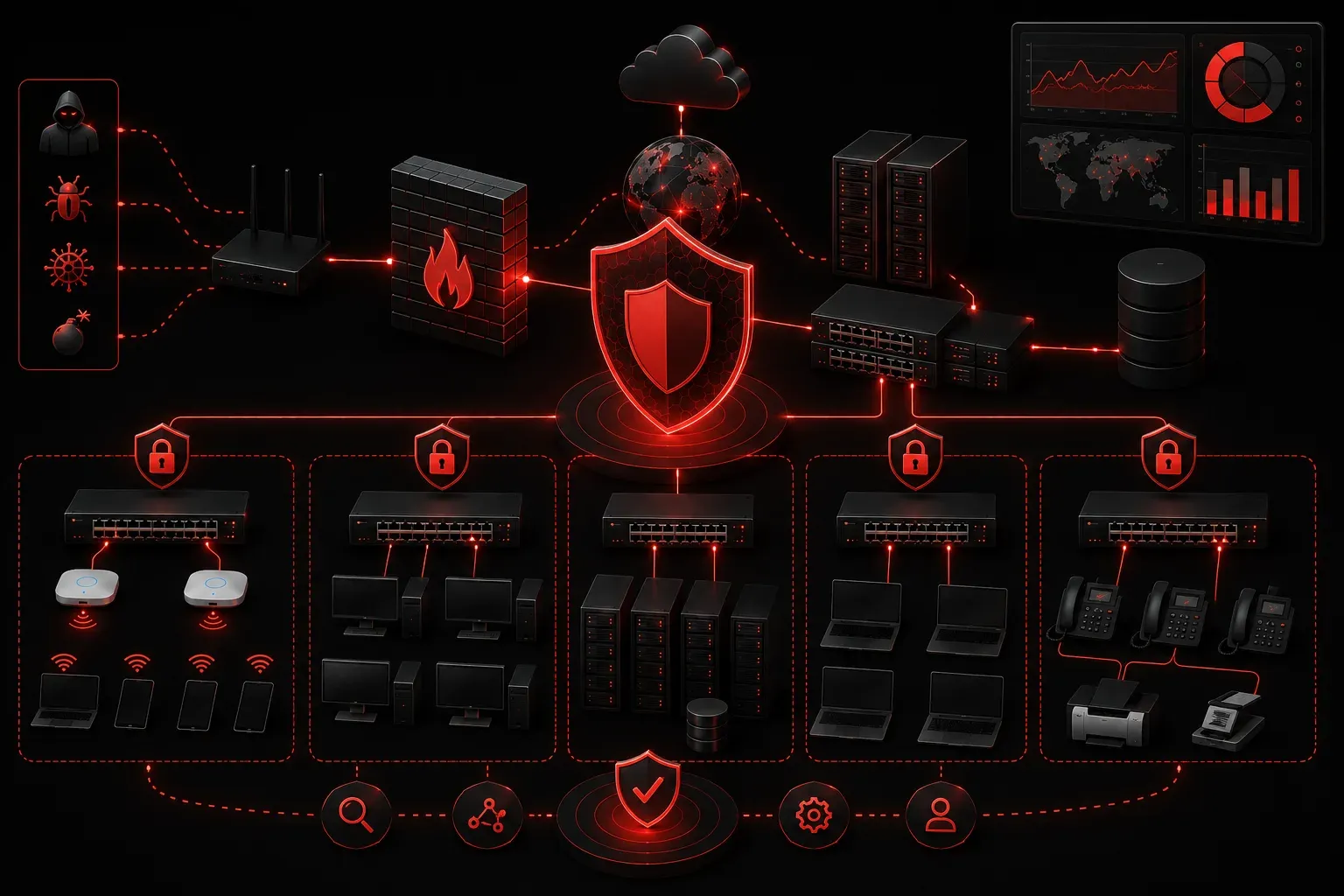
Network security might seem overwhelming when you're starting out, but implementing basic security solutions doesn't have to be complicated. Today we'll walk through practical, beginner-friendly steps to secure your network effectively. These foundational security measures will protect against the most common threats while building your confidence in network security.
Start with Physical Security
Before diving into digital protections, secure your physical infrastructure. Network equipment in unlocked closets or open areas creates easy targets for attackers.
Essential physical security steps:
- Lock server rooms and network closets
- Install security cameras near critical infrastructure
- Use cable locks for portable equipment
- Implement badge access for sensitive areas
Physical access often trumps digital security, so this foundation is crucial for any comprehensive security strategy.
Configure Strong Access Controls
Access control forms the backbone of network security. Start by implementing these basic security steps on your network devices:
On Cisco switches and routers, configure basic access controls:
Router(config)# username admin privilege 15 secret YourStrongPassword123!
Router(config)# line console 0
Router(config-line)# login local
Router(config-line)# exec-timeout 5 0
Router(config)# line vty 0 4
Router(config-line)# login local
Router(config-line)# transport input ssh
Router(config-line)# exec-timeout 5 0
This configuration creates a local user account, requires authentication for console and remote access, sets session timeouts, and restricts remote access to SSH only. Always disable default passwords and use complex, unique passwords for each device.
Enable Basic Firewall Protection
Firewalls act as your network's security checkpoint, controlling traffic flow between network segments. For beginner network security, start with these essential firewall rules:
Basic firewall configuration principles:
- Default deny: Block all traffic by default, then allow specific services
- Allow necessary services only (HTTP/HTTPS, DNS, email)
- Block unused ports and protocols
- Log denied connections for monitoring
Even a basic firewall configuration dramatically improves your security posture by preventing unauthorized access attempts.
Implement Network Segmentation
Network segmentation isolates different parts of your network, limiting damage if one segment becomes compromised. This is one of the most effective ways to implement network security solutions.
Start with basic segmentation:
- Separate guest Wi-Fi from internal networks
- Isolate servers from user workstations
- Create a DMZ for public-facing services
- Use VLANs to logically separate network traffic
Configure VLANs on your switch to begin segmentation:
Switch(config)# vlan 10
Switch(config-vlan)# name Users
Switch(config)# vlan 20
Switch(config-vlan)# name Servers
Switch(config)# interface fastethernet 0/1
Switch(config-if)# switchport mode access
Switch(config-if)# switchport access vlan 10
Keep Systems Updated
Regular updates patch known vulnerabilities and strengthen your security defenses. Establish a systematic approach to updates:
Update management best practices:
- Schedule regular firmware updates for network devices
- Keep operating systems current with security patches
- Update antivirus definitions automatically
- Test updates in a non-production environment first
Check your device firmware version and compare it to the vendor's latest releases monthly. Most security breaches exploit known vulnerabilities that patches have already addressed.
Monitor and Log Network Activity
You can't protect what you can't see. Basic monitoring helps detect unusual activity and potential security incidents.
Essential monitoring components:
- Enable logging on firewalls and network devices
- Monitor failed login attempts
- Track bandwidth usage patterns
- Set up basic intrusion detection
Configure basic logging on your router:
Router(config)# logging buffered 16384 informational
Router(config)# logging console warnings
Router(config)# service timestamps log datetime msec
Even simple log review can reveal attack patterns and help you respond to security incidents quickly.
What's Next
These basic security steps provide a solid foundation for securing a network, but network security is an ongoing process. Next, we'll explore advanced security techniques, including intrusion prevention systems, security protocols like WPA3 and IPSec, and how to conduct security assessments to identify vulnerabilities in your network infrastructure.
Tools and resources for this topic
- CompTIA Network+ Study Guide — Comprehensive N10-009 exam preparation covering all five domains.