
Implementing Spanning Tree Enhancements: Root Guard and BPDU Guard
This post covers the implementation of Spanning Tree enhancements -- Root Guard and BPDU Guard -- including where to deploy each feature, how to configure them at both global and interface levels, and how to interpret and recover from root-inconsistent and err-disabled states. Key distinctions betw

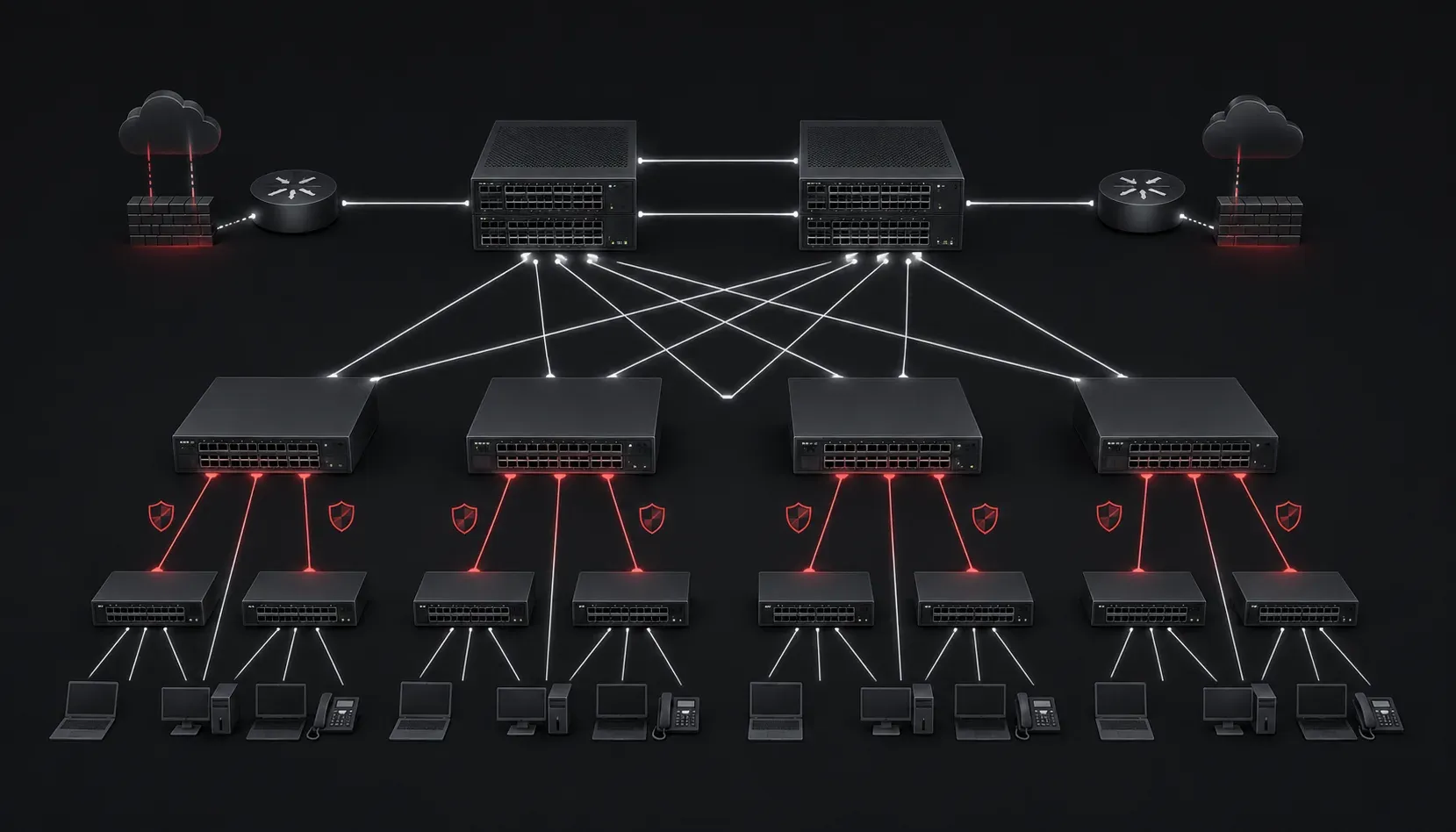
Spanning Tree Protocol keeps your Layer 2 network loop-free, but the base protocol has no mechanism to enforce topology boundaries. Any switch connected to your network can potentially become the root bridge, and any port can begin forwarding traffic in ways that violate your design intent. Spanning Tree enhancements like Root Guard and BPDU Guard close these gaps, and on the ENCOR exam, you need to know not just what they do, but exactly when and where to deploy them, how they interact with other STP features, and how to recover from error conditions.
Why Base STP Is Not Enough
In an enterprise campus network, your root bridge placement is deliberate. You tune bridge priority on your core or distribution switches to ensure a predictable topology. The problem is that STP itself will honor a superior BPDU from any connected switch, including a rogue access switch, a misconfigured device from a vendor tech, or a VM host running a bridge. When that happens, STP reconverges around the new root, traffic paths shift unexpectedly, and you spend the next hour hunting down the problem.
Similarly, end devices like PCs, IP phones, and access points should never originate BPDUs. When they do, either through misconfiguration, a loop in the wiring closet, or a deliberate attack, PortFast ports need a safety mechanism to shut down rather than process the rogue BPDU and risk a topology change.
Root Guard
What It Does
Root Guard enforces the boundary of your STP domain by preventing a port from becoming a root port. When you enable Root Guard on an interface, that port is allowed to participate in STP normally -- it sends and receives BPDUs -- but if it receives a superior BPDU that would cause it to transition to root port status, Root Guard places the port in a root-inconsistent state. The port stops forwarding traffic but continues to listen for BPDUs. Once the superior BPDUs stop arriving, the port automatically recovers without any manual intervention.
Where to Deploy It
Root Guard belongs on ports where you know the root bridge should never appear. In a campus design, that typically means downlink ports from your distribution layer toward access switches, and any ports connected to third-party networks or co-location partners. It does not belong on uplinks toward the root bridge itself.
Root Guard Configuration
Configuration is a single interface-level command:
SW-DIST-01(config)# interface GigabitEthernet1/0/24
SW-DIST-01(config-if)# spanning-tree guard root
Verify the configuration and check for any active violations:
SW-DIST-01# show spanning-tree inconsistentports

Name                 Interface                Inconsistency
-------------------- ------------------------ -----------------
VLAN0010             GigabitEthernet1/0/24    Root Inconsistent

Number of inconsistent ports (segments) in the system: 1
You can also confirm per-port STP detail:
SW-DIST-01# show spanning-tree vlan 10 interface GigabitEthernet1/0/24 detail

Port 24 (GigabitEthernet1/0/24) of VLAN0010 is broken (Root Inconsistent)
  Port path cost 4, Port priority 128, Port Identifier 128.24
  Designated root has priority 4096, address aabb.cc00.0100
  ...
When a root-inconsistent port recovers, IOS logs a message and the port transitions back through the normal STP states. No shutdown or no shutdown is required.
BPDU Guard
What It Does
BPDU Guard is designed for ports where BPDUs should never arrive -- specifically PortFast-enabled access ports. When a BPDU is received on a BPDU Guard-protected port, the port is immediately placed into err-disabled state. Unlike Root Guard, BPDU Guard does not recover automatically by default. The port stays down until an administrator manually recovers it or err-disable autorecovery is configured.
Where to Deploy It
BPDU Guard should be enabled on every access port facing end devices. The key pairing is PortFast plus BPDU Guard. PortFast allows the port to skip the listening and learning states and go directly to forwarding. BPDU Guard ensures that if something unexpected is plugged in, the port shuts down immediately instead of potentially introducing a loop.
BPDU Guard Setup: Global vs. Interface
You can enable BPDU Guard globally for all PortFast-enabled ports, or configure it explicitly per interface.
Global configuration (applies to all PortFast ports):
SW-ACCESS-01(config)# spanning-tree portfast bpduguard defaultInterface-level configuration (explicit, overrides global):
SW-ACCESS-01(config)# interface GigabitEthernet1/0/1
SW-ACCESS-01(config-if)# spanning-tree portfast
SW-ACCESS-01(config-if)# spanning-tree bpduguard enable
To verify BPDU Guard status and identify err-disabled ports:
SW-ACCESS-01# show spanning-tree summary

...
  Portfast Default                     is enabled
  PortFast BPDU Guard Default          is enabled
  Portfast BPDU Filter Default         is disabled
...
SW-ACCESS-01# show interfaces status err-disabled
Port Name Status Reason Err-disabled Vlans
Gi1/0/1 err-disabled bpduguardRecovering from Err-Disabled
Manual recovery requires cycling the interface:
SW-ACCESS-01(config)# interface GigabitEthernet1/0/1
SW-ACCESS-01(config-if)# shutdown
SW-ACCESS-01(config-if)# no shutdown
For environments where automatic recovery is acceptable, configure err-disable autorecovery with a timer:
SW-ACCESS-01(config)# errdisable recovery cause bpduguard
SW-ACCESS-01(config)# errdisable recovery interval 300
The default recovery interval is 300 seconds. Be cautious with autorecovery in production -- if the offending device is still connected, the port will go err-disabled again after each recovery cycle.
Root Guard vs. BPDU Guard: Key Distinctions
- Root Guard allows BPDUs but reacts to superior ones. It is designed for switch-to-switch links where STP participation is expected but root placement must be controlled.
- BPDU Guard reacts to any BPDU. It is designed for edge ports where no STP peer should exist.
- Root Guard results in root-inconsistent state with automatic recovery. BPDU Guard results in err-disabled state requiring manual intervention (or autorecovery configuration).
- Root Guard and BPDU Guard are mutually exclusive on the same interface. Configuring BPDU Guard on an interface overrides Root Guard for that port.
- Root Guard cannot be enabled on a port that is already a root port. It will only act if the port would become a root port due to a received superior BPDU.
BPDU Filter: The Feature You Need to Understand but Use Carefully
BPDU Filter is a related enhancement that suppresses BPDUs on a port entirely. When enabled globally via spanning-tree portfast bpdufilter default, it applies to PortFast ports but will disable itself if a BPDU is received. When configured explicitly at the interface level with spanning-tree bpdufilter enable, it unconditionally suppresses all BPDUs in both directions -- this effectively removes the port from STP participation and can create loops if misconfigured. Use explicit interface-level BPDU Filter with extreme caution.
Exam-Level Precision Points
- Root Guard is enabled with
spanning-tree guard rootat the interface level. There is no global Root Guard command. - BPDU Guard can be enabled globally with
spanning-tree portfast bpduguard defaultor per-interface withspanning-tree bpduguard enable. - A root-inconsistent port continues to send and receive BPDUs. An err-disabled port does not process any traffic.
- PortFast does not need to be configured for BPDU Guard to work at the interface level, but the global command only applies to PortFast-enabled ports.
What's Next
With Root Guard and BPDU Guard locking down your STP topology boundaries, the next logical area to tackle is rapid convergence and how Rapid Spanning Tree Protocol (RSTP) improves on the original 802.1D timers. Understanding RSTP port roles, port states, and the proposal/agreement mechanism will deepen your grasp of how modern enterprise networks achieve fast failover at Layer 2 without sacrificing loop prevention. For comprehensive coverage of these topics and the full ENCOR blueprint, reference the Cisco Press CCNP and CCIE Enterprise Core ENCOR 350-401 Official Cert Guide by Brad Edgeworth.
Tools and resources for this topic
- CCNP ENCOR 350-401 Official Cert Guide: The definitive ENCOR study resource by Brad Edgeworth. Covers enterprise infrastructure, virtualisation, and automation.