
Leveraging Krisp for Seamless Virtual Meetings in IT
Krisp's AI-powered noise cancellation transforms virtual meetings for IT professionals by eliminating background noise from both outgoing and incoming audio. The tool integrates seamlessly with all major communication platforms and proves especially valuable during incident response, code reviews,

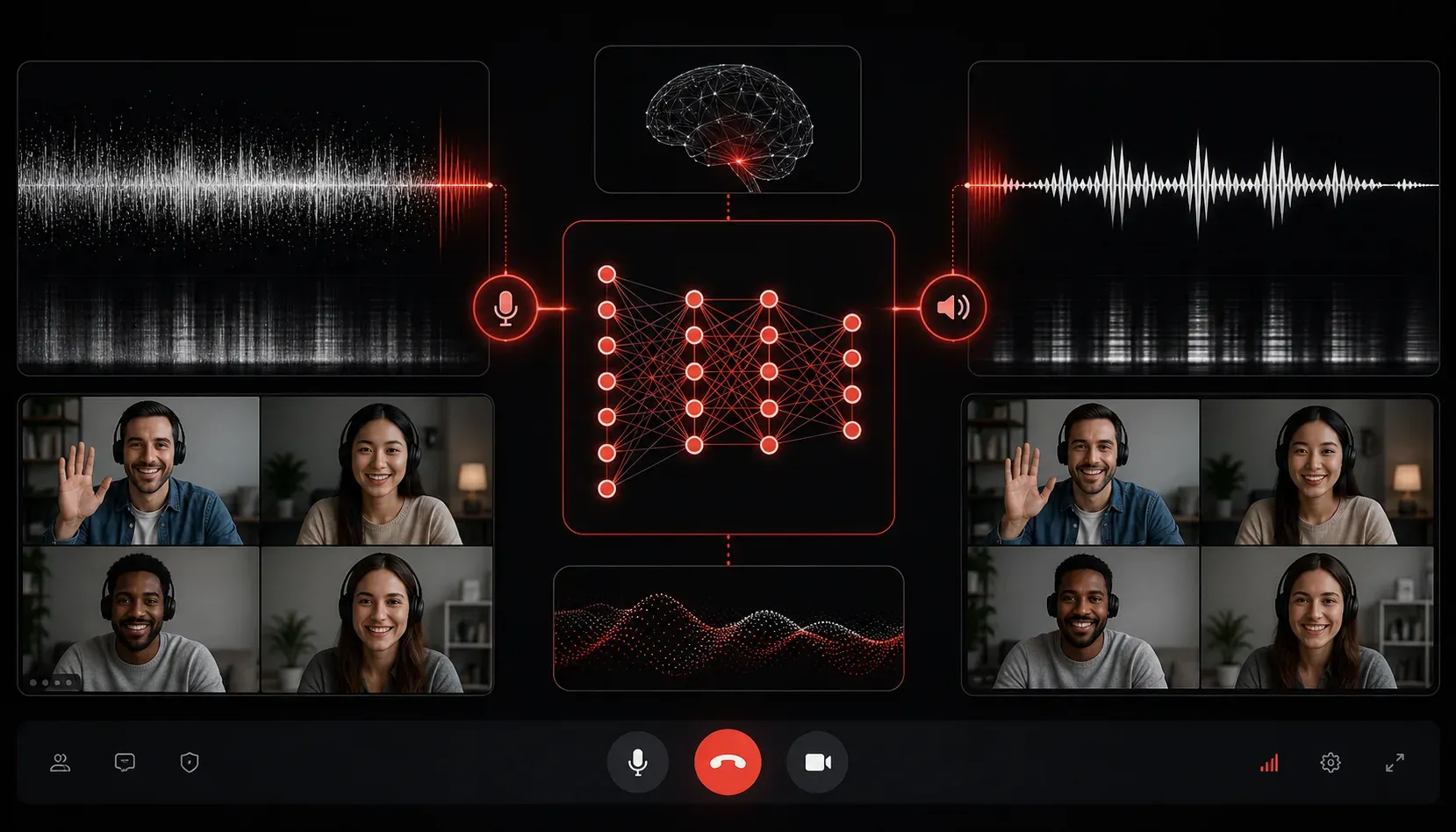
Virtual meetings have become the backbone of IT collaboration, but background noise can derail even the most critical discussions. Whether you're troubleshooting network issues with a remote team or walking through code reviews, crystal-clear audio isn't just nice to have; it's essential for productive IT work.
Krisp emerges as a game-changing AI-powered noise-cancellation tool that transforms the way IT professionals handle virtual meetings. Unlike basic noise suppression built into most video conferencing platforms, Krisp uses advanced machine learning to eliminate both background noise from your microphone and incoming audio from other participants.
How Krisp Works for IT Teams
Krisp operates as a virtual audio device that sits between your physical microphone/speakers and your meeting application. When you speak, Krisp processes your audio in real-time, removing everything from keyboard typing and mouse clicks to air conditioning hums and barking dogs. The same technology works on incoming audio, ensuring you hear colleagues clearly even when they're calling from noisy environments.
For IT professionals, this means you can participate effectively in meetings regardless of your environment. Working from a co-location facility with server fans running? No problem. Taking a critical call from a coffee shop between client visits? Krisp has you covered.
Setting Up Krisp for Maximum Effectiveness
Getting started with Krisp requires minimal configuration, but optimizing it for IT workflows takes some consideration:
- Install and Configure: Download Krisp and set it as your default microphone and speaker in your operating system's audio settings
- Application Integration: In your meeting software (Zoom, Teams, WebEx, etc.), select
Krisp MicrophoneandKrisp Speakeras your audio devices - Noise Suppression Levels: Adjust suppression strength based on your environment—higher settings for noisy spaces, moderate settings for typical home offices
Real-World IT Scenarios Where Krisp Shines
Consider these common IT collaboration scenarios where Krisp proves invaluable:
Incident Response Calls: During critical outages, team members often join from various locations. Krisp ensures that when the database administrator is explaining query performance issues, background noise doesn't mask crucial technical details.
Code Reviews and Architecture Discussions: These sessions require participants to focus on complex technical concepts. Krisp eliminates the cognitive load of filtering out background noise, letting everyone concentrate on the technical discussion.
Client Troubleshooting Sessions: When walking clients through technical solutions, professional audio quality builds confidence and reduces miscommunication that could lead to configuration errors.
Advanced Features for IT Workflows
Beyond basic noise cancellation, Krisp offers features particularly useful for IT teams:
- Meeting Insights: Analytics on talk time and meeting quality help identify communication patterns in technical discussions
- Echo Cancellation: Eliminates feedback loops common when screen sharing technical content
- Cross-Platform Compatibility: Works seamlessly across Windows, macOS, and mobile devices, ensuring consistent audio quality regardless of the device team members use
Integration with IT Communication Stack
Krisp integrates with virtually every communication platform IT teams use. Whether your organization standardizes on Microsoft Teams for internal collaboration, uses Zoom for client meetings, or relies on Slack huddles for quick technical discussions, Krisp enhances audio quality across all platforms without requiring platform-specific configurations.
The tool's system-level integration means it works automatically with communication apps, development environment screen sharing sessions, and even when taking technical support calls through browser-based systems.
What's Next
Now that you understand how Krisp can transform your virtual meeting experience, the next step is exploring how AI-powered meeting assistants can automate note-taking and action item tracking during technical discussions. These tools complement Krisp's audio enhancement by capturing and organizing the valuable technical information shared during your now crystal-clear meetings.