
Layer 2 vs Layer 3 Switches: What's the Difference?
Layer 2 switches forward frames using MAC addresses within a single network segment, while Layer 3 switches add routing capabilities to forward packets between different VLANs and subnets. Understanding when to use each type is crucial for effective network design.

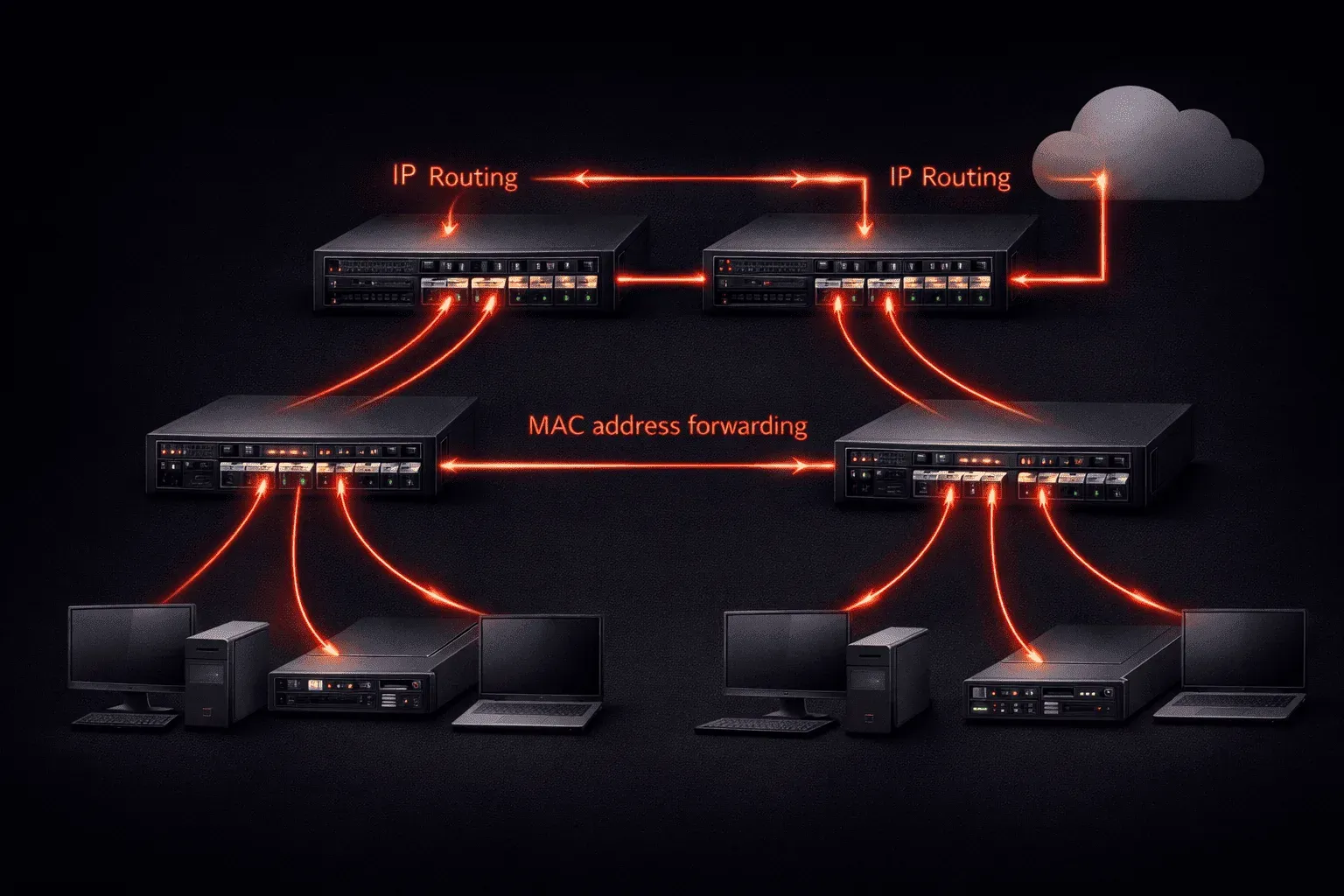
When you're starting to learn about network infrastructure, one of the most important concepts to understand is the difference between Layer 2 and Layer 3 switches. While both devices help connect network devices, they operate at different layers of the OSI model and serve distinct purposes in your network architecture.
Understanding Layer 2 Switches
A Layer 2 switch operates at the Data Link layer of the OSI model (Layer 2). Its primary function is to forward frames between devices on the same network segment using MAC addresses. Think of it as a smart hub that learns and remembers which devices are connected to which ports.
Key characteristics of Layer 2 switches:
- Forward frames based on MAC addresses
- Maintain a MAC address table
- Create separate collision domains for each port
- Cannot route between different VLANs without external help
- Generally less expensive than Layer 3 switches
Here's what you might see when checking the MAC address table on a Cisco Layer 2 switch:
Switch# show mac address-table
          Mac Address Table
-------------------------------------------

Vlan    Mac Address       Type        Ports
----    -----------       --------    -----
   1    0050.56c0.0001    DYNAMIC     Fa0/1
   1    0050.56c0.0002    DYNAMIC     Fa0/2
   1    0050.56c0.0003    DYNAMIC     Fa0/3
Total Mac Addresses for this criterion: 3
Understanding Layer 3 Switches
A Layer 3 switch combines the functionality of a traditional Layer 2 switch with routing capabilities (Layer 3). It can make forwarding decisions based on IP addresses, essentially functioning as both a switch and a router in one device.
Key characteristics of Layer 3 switches:
- Can route between different VLANs and subnets
- Maintain both MAC address tables and routing tables
- Support routing protocols like OSPF and EIGRP
- Provide faster inter-VLAN routing than external routers
- More expensive but offer greater flexibility
On a Layer 3 switch, you can configure Switch Virtual Interfaces (SVIs) to enable routing:
Switch(config)# interface vlan 10
Switch(config-if)# ip address 192.168.10.1 255.255.255.0
Switch(config-if)# no shutdown

Switch(config)# interface vlan 20
Switch(config-if)# ip address 192.168.20.1 255.255.255.0
Switch(config-if)# no shutdown

Switch(config)# ip routing
When to Use Each Type
Choose Layer 2 switches when:
- You need basic connectivity within a single VLAN
- Budget is a primary concern
- You have an external router handling inter-VLAN routing
- Your network design is simple and doesn't require complex routing
Choose Layer 3 switches when:
- You need to route between multiple VLANs efficiently
- You want to reduce the load on your core router
- You're building a more complex network topology
- Performance for inter-VLAN communication is critical
Practical Network Design Example
In a typical office network, you might use Layer 2 switches at the access layer to connect end devices like computers and phones. These switches connect to a Layer 3 switch at the distribution layer, which handles routing between different departments (VLANs) and connects to the core network.
This hierarchical design leverages the cost-effectiveness of Layer 2 switches where routing isn't needed, while using Layer 3 switches where routing decisions improve network performance and reduce complexity.
What's Next
Now that you understand the fundamental differences between Layer 2 and Layer 3 switches, the next step is learning about VLANs and how they work with both types of switches. VLANs are crucial for network segmentation and will help you understand when Layer 3 switching becomes essential for inter-VLAN communication.
CCNA study resources
- CCNA Official Cert Guide Library (Wendell Odom) — Both volumes covering the full 200-301 exam blueprint. The definitive CCNA study resource.
- Wendell Odom CCNA Vol 1 — Networking fundamentals, switching, VLANs, STP, and IPv4 routing.
- Wendell Odom CCNA Vol 2 — Advanced routing, WAN, security, automation, and network management.