
Troubleshooting OSPF Neighbor Adjacency Issues
This guide provides a systematic approach to troubleshooting OSPF neighbor adjacency issues, covering common problems like hello parameter mismatches, authentication failures, MTU issues, and area configuration errors with practical CLI examples and debugging techniques.

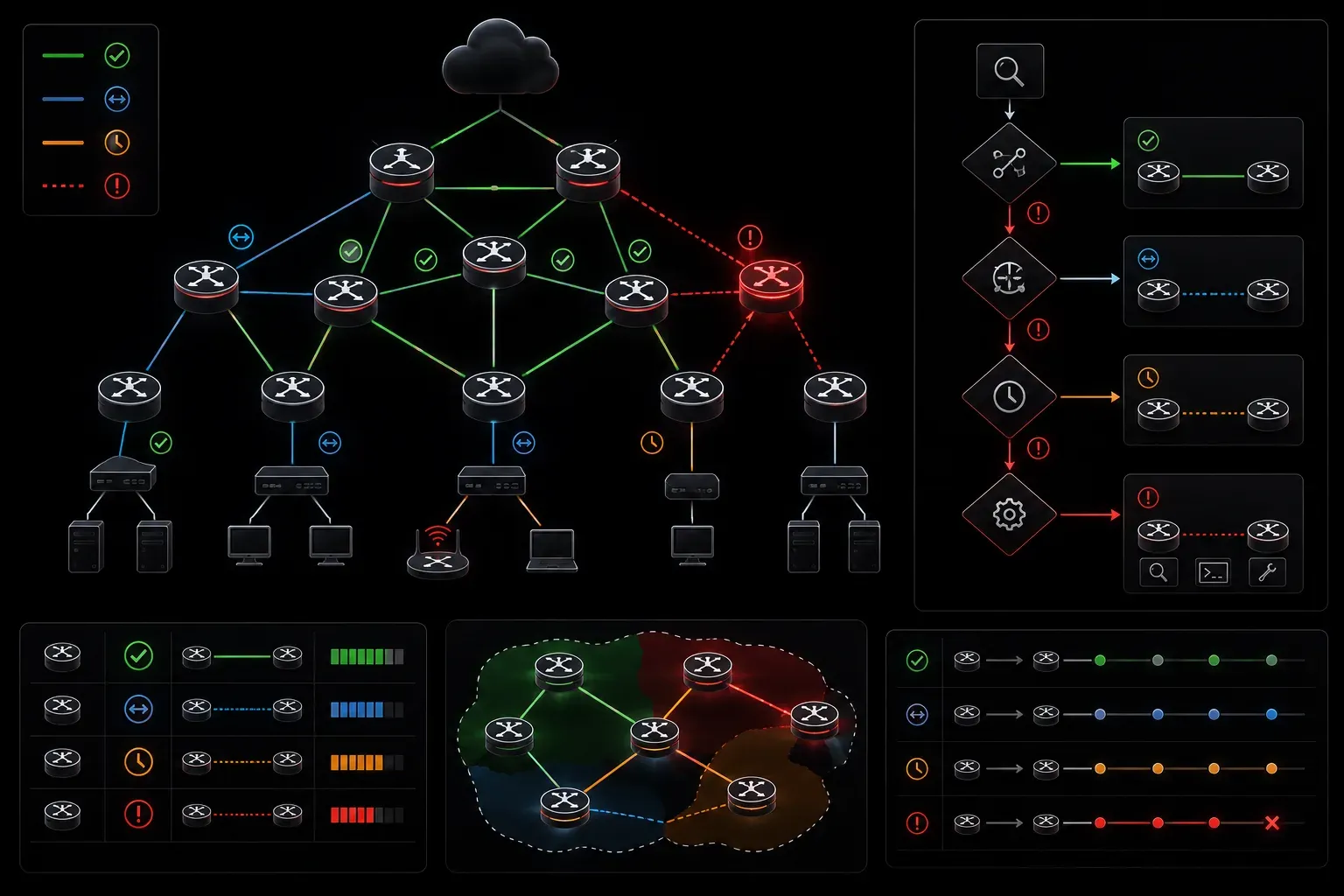
Understanding OSPF Adjacency States
When troubleshooting OSPF neighbor adjacency issues, understanding the adjacency state machine is crucial. OSPF neighbors progress through several states: Down, Attempt, Init, 2-Way, ExStart, Exchange, Loading, and Full. Each transition failure provides specific diagnostic information about the underlying problem.
The most common adjacency problems occur during the Init to 2-Way transition (hello parameter mismatches) and the ExStart to Full transition (MTU mismatches or authentication failures). Use show ip ospf neighbor to identify where adjacencies are stuck:
Router# show ip ospf neighbor
Neighbor ID     Pri   State           Dead Time   Address         Interface
10.1.1.2          1   INIT/DROTHER    00:00:32     192.168.1.2     GigabitEthernet0/1
10.1.1.3          1   2WAY/DROTHER    00:00:35     192.168.1.3     GigabitEthernet0/1
10.1.1.4          1   EXSTART/DR      00:00:38     192.168.1.4     GigabitEthernet0/1
Hello Parameter Mismatches
Hello parameter mismatches are the most frequent cause of OSPF neighbor adjacency problems. All hello parameters must match exactly between neighbors on the same segment: hello interval, dead interval, area ID, authentication type, authentication key, and network mask.
Verify hello parameters using show ip ospf interface:
Router# show ip ospf interface gigabitethernet0/1
GigabitEthernet0/1 is up, line protocol is up
  Internet Address 192.168.1.1/24, Area 0, Attached via Network Statement
  Process ID 1, Router ID 10.1.1.1, Network Type BROADCAST, Cost: 1
  Topology-MTID    Cost    Disabled    Shutdown      Topology Name
        0           1         no          no            Base
  Transmit Delay is 1 sec, State BDR, Priority 1
  Designated Router (ID) 10.1.1.4, Interface Address 192.168.1.4
  Backup Designated router (ID) 10.1.1.1, Interface Address 192.168.1.1
  Timer intervals configured, Hello 10, Dead 40, Wait 40, Retransmit 5
Compare timer intervals across all routers on the segment. Use debug ip ospf hello to observe hello packets in real-time, but be cautious in production environments due to the potential impact on router performance.
Network Type Mismatches
Network type mismatches create subtle adjacency issues. Point-to-point links configured as broadcast networks will elect unnecessary DR/BDR pairs, while broadcast segments configured as point-to-point will fail to establish proper adjacencies with multiple neighbors.
Verify and correct network types:
Router(config)# interface gigabitethernet0/1
Router(config-if)# ip ospf network point-to-point
Authentication Failures
OSPF authentication failures manifest as neighbors stuck in the Init state. When authentication is enabled, all routers on a segment must use identical authentication types and keys.
For area-based authentication:
Router(config)# router ospf 1
Router(config-router)# area 0 authentication message-digest
Configure matching authentication keys on all interfaces:
Router(config)# interface gigabitethernet0/1
Router(config-if)# ip ospf message-digest-key 1 md5 MySecretKey
Use show ip ospf interface to verify authentication configuration and debug ip ospf adj to observe authentication exchanges.
MTU Mismatches
MTU mismatches prevent neighbors from reaching the Full state, typically leaving them stuck in ExStart or Exchange states. This occurs because Database Description (DBD) packets exceed the interface MTU on one side of the link.
Identify MTU issues using show interfaces to compare MTU values:
Router# show interfaces gigabitethernet0/1
GigabitEthernet0/1 is up, line protocol is up
  Hardware is iGbE, address is 0050.56b7.0001 (bia 0050.56b7.0001)
  Internet address is 192.168.1.1/24
  MTU 1500 bytes, BW 1000000 Kbit/sec, DLY 10 usec
Resolve MTU mismatches by standardizing the MTU across all interfaces in the segment or using the ip ospf mtu-ignore command as a workaround:
Router(config)# interface gigabitethernet0/1
Router(config-if)# ip ospf mtu-ignore
Area ID Configuration Errors
Neighbors must belong to the same OSPF area to form adjacencies. Area misconfigurations often result from copy-paste errors or misunderstood area design requirements.
Verify area assignments using show ip ospf interface and correct misconfigurations:
Router(config)# router ospf 1
Router(config-router)# network 192.168.1.0 0.0.0.255 area 0
Stub Area Mismatches
Stub area configurations must match exactly between neighbors. If one router considers an area stub while its neighbor does not, adjacency formation fails.
Verify stub configurations:
Router# show ip ospf | include Stub
    Area 1
        Number of interfaces in this area is 1
        It is a stub area
Access Control Lists and Firewalls
ACLs blocking OSPF traffic prevent adjacency formation. OSPF uses multicast addresses 224.0.0.5 (all OSPF routers) and 224.0.0.6 (designated routers) on broadcast networks, and direct unicast on point-to-point links.
Ensure ACLs permit OSPF traffic:
Router(config)# access-list 100 permit ospf any any
Router(config)# access-list 100 permit ip any host 224.0.0.5
Router(config)# access-list 100 permit ip any host 224.0.0.6
Systematic Troubleshooting Methodology
Follow this systematic approach when troubleshooting OSPF neighbor adjacency problems:
- Check physical connectivity using
show interfacesandping - Verify OSPF process status with
show ip ospf - Examine neighbor states using
show ip ospf neighbor detail - Compare hello parameters across all neighbors with
show ip ospf interface - Verify authentication configuration and keys
- Check MTU settings and resolve mismatches
- Confirm area configurations match between neighbors
- Review ACLs for OSPF traffic blocking
Use debug commands judiciously: debug ip ospf adj for adjacency formation issues and debug ip ospf hello for hello parameter problems. Always disable debugging after diagnosis to prevent performance impact.
What's Next
Once neighbor adjacencies are stable, the next critical aspect of OSPF troubleshooting involves LSA propagation and database synchronization. Understanding how to diagnose and resolve OSPF database inconsistencies will ensure your OSPF deployment maintains accurate routing information across all areas.
Tools and resources for this topic
- CCNP ENCOR 350-401 Official Cert Guide — The definitive ENCOR study resource by Brad Edgeworth. Covers enterprise infrastructure, virtualisation, and automation.