
Two-Tier vs Three-Tier Network Architecture: What's the Difference?
Learn the key differences between two-tier and three-tier network architectures, including when to use each design approach. Covers scalability, cost, and performance considerations for network planning.

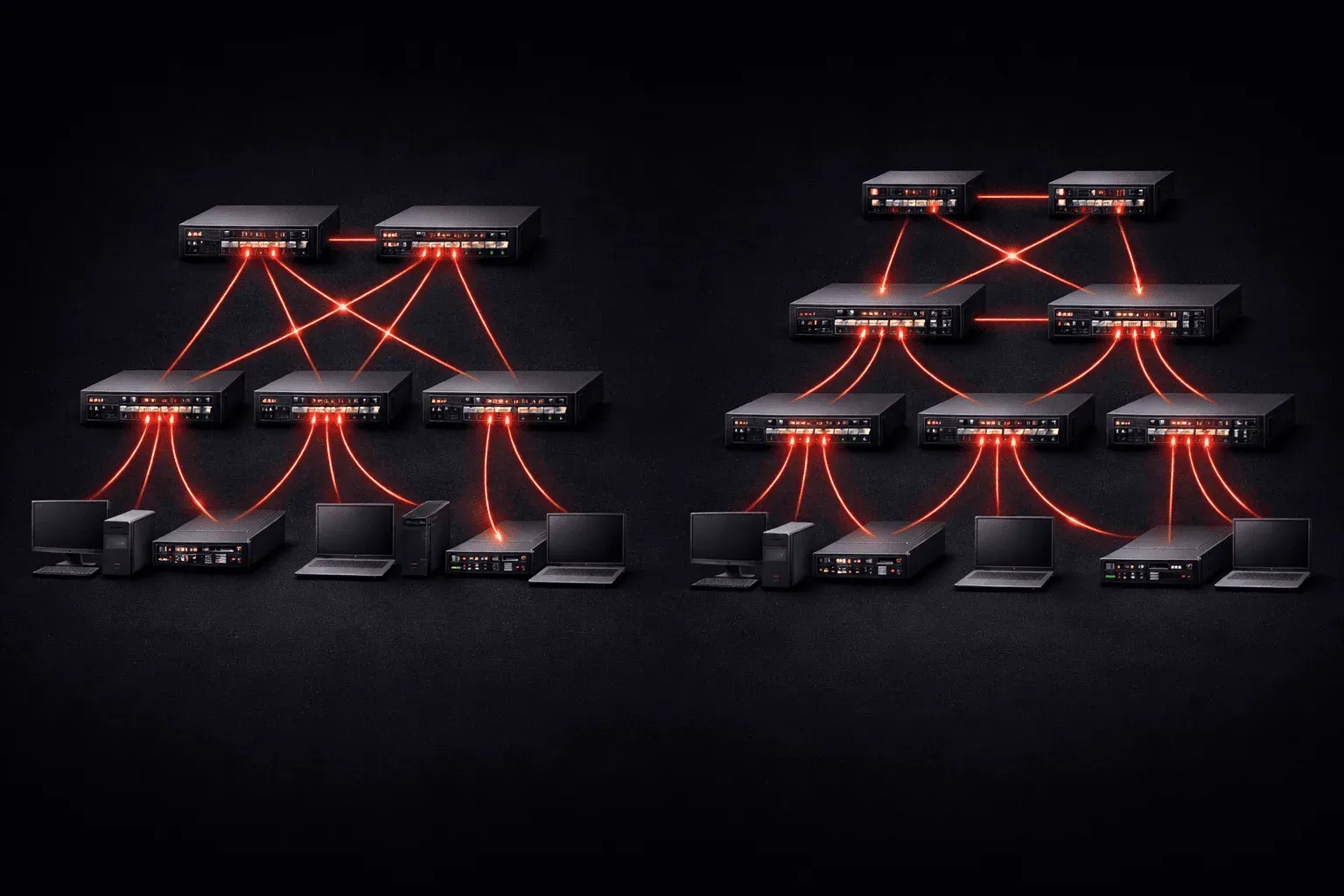
When designing a network, one of the first decisions you'll face is choosing the right architecture. Two of the most common approaches are two-tier and three-tier network architectures. Understanding the differences between these designs is crucial for anyone studying networking, especially for the CCNA exam.
What is Two-Tier Network Architecture?
A two-tier architecture, also called a collapsed core design, consists of just two layers: the access layer and the distribution/core layer. In this setup, the distribution and core functions are combined into a single layer.
Here's how it works:
- Access Layer: Connects end devices like computers, printers, and phones
- Distribution/Core Layer: Handles both traffic aggregation and high-speed transport to other network segments
Think of a small office building where access switches on each floor connect directly to a powerful central switch that handles everything else. This central switch manages both local traffic distribution and connections to the internet or other buildings.
What is Three-Tier Network Architecture?
The three-tier architecture follows the traditional hierarchical model with three distinct layers:
- Access Layer: Provides connectivity to end devices
- Distribution Layer: Aggregates traffic from access switches and implements policies
- Core Layer: Provides high-speed transport between distribution layer devices
Imagine a large corporate campus where access switches connect to distribution switches in each building, and those distribution switches connect to core switches that link the entire campus together. Each layer has a specific role and responsibility.
Key Differences in Network Layers
Scalability
Two-tier: Limited scalability due to the collapsed design. As you add more access switches, the distribution/core layer can become a bottleneck.
Three-tier: Highly scalable because each layer can be expanded independently. You can add more core switches without affecting the access layer.
Cost Considerations
Two-tier: Lower initial cost since you need fewer high-end switches. Perfect for smaller networks with budget constraints.
Three-tier: Higher initial investment due to more equipment, but better long-term value for growing networks.
Performance and Redundancy
Two-tier: Simpler redundancy paths, but limited fault tolerance. If the distribution/core layer fails, it affects a larger portion of the network.
Three-tier: Multiple redundancy options with better fault isolation. Problems in one layer don't necessarily cascade to others.
When to Choose Each Architecture
Choose two-tier when:
- Your network has fewer than 200-300 users
- Budget constraints are significant
- Physical space for equipment is limited
- Network growth is minimal or predictable
Choose three-tier when:
- You're designing for 500+ users
- High availability is critical
- You expect significant network growth
- You need granular policy control at different layers
Real-World Example
A small law firm with 50 employees might use a two-tier design: access switches in conference rooms and offices connect directly to a pair of redundant distribution/core switches that handle internet connectivity and server access.
Meanwhile, a university campus would benefit from three-tier architecture: access switches in dorms and classrooms connect to distribution switches in each building, which then connect to core switches in the data center that link all buildings and provide internet access.
Architecture Comparison Summary
The choice between two-tier vs three-tier ultimately depends on your specific requirements. Two-tier offers simplicity and cost savings for smaller networks, while three-tier provides the scalability and redundancy needed for larger, mission-critical environments. Understanding these networking basics helps you make informed decisions about network design.
What's Next
Now that you understand the fundamental differences between these architectures, the next step is learning about the specific functions and characteristics of each individual layer. We'll dive deep into the access layer and how it connects end devices to your network infrastructure.
CCNA study resources
- CCNA Official Cert Guide Library (Wendell Odom) — Both volumes covering the full 200-301 exam blueprint. The definitive CCNA study resource.
- Wendell Odom CCNA Vol 1 — Networking fundamentals, switching, VLANs, STP, and IPv4 routing.
- Wendell Odom CCNA Vol 2 — Advanced routing, WAN, security, automation, and network management.