
Understanding the Linux Boot Process
This post explains the Linux boot process from power-on through full system initialization. It covers BIOS/UEFI, bootloaders like GRUB, kernel loading, initrd, PXE network booting, and the transition to user space.

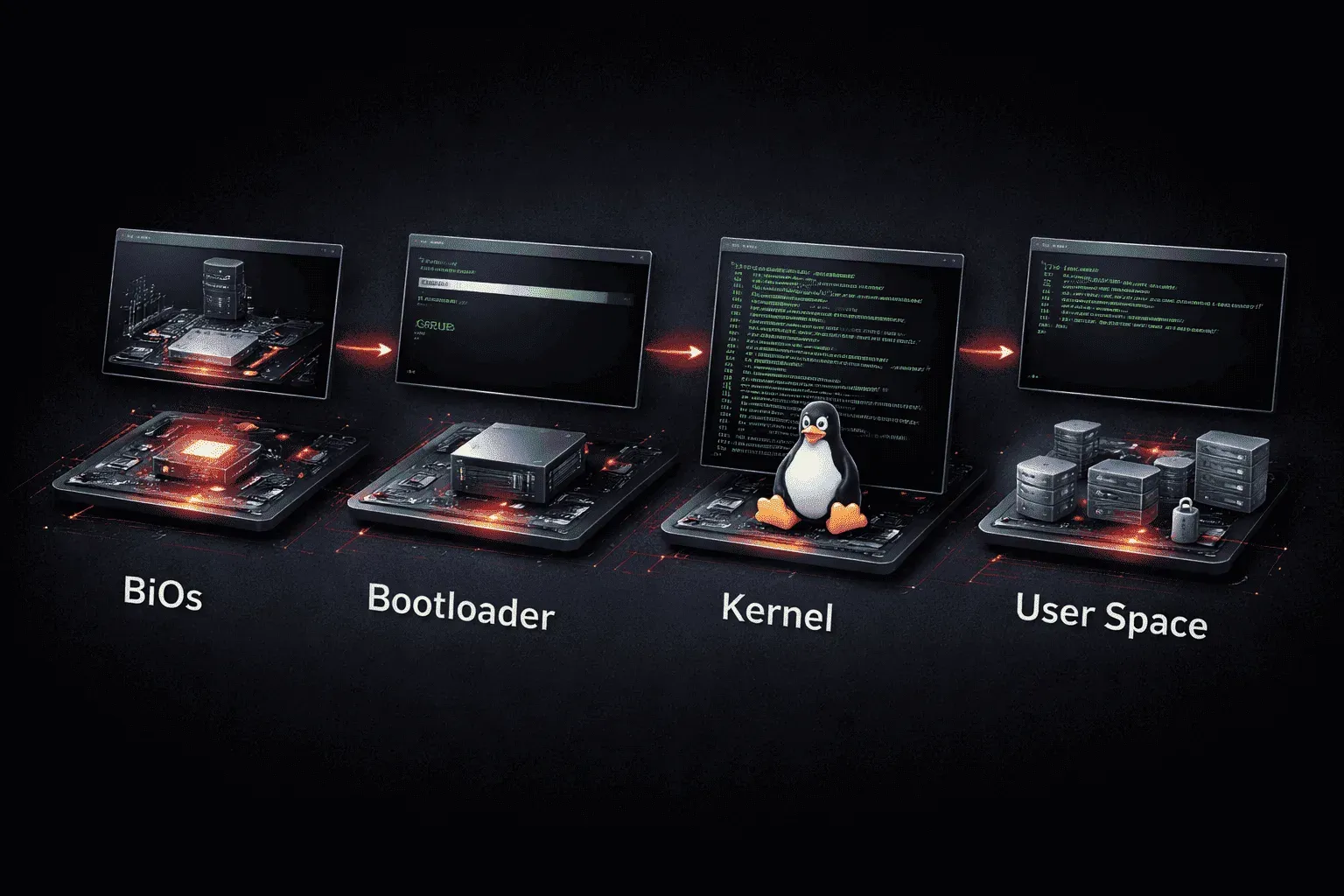
The Linux boot process is one of those fundamental concepts that every system administrator should understand. When you press the power button on a Linux machine, a complex sequence of events occurs to transform your computer from a silent piece of hardware into a fully functional operating system. Let's walk through each stage of this fascinating journey.
The BIOS/UEFI Stage
The boot process begins before Linux even enters the picture. When you power on your system, the BIOS (Basic Input/Output System) or UEFI (Unified Extensible Firmware Interface) firmware takes control. This firmware performs a Power-On Self Test (POST) to check hardware components, then looks for a bootable device according to the boot order you've configured.
The firmware reads the Master Boot Record (MBR) on traditional BIOS systems or the EFI System Partition on UEFI systems. This is where it finds the bootloader - the critical piece of software that knows how to start your Linux system.
The Bootloader Takes Charge
The bootloader is like a bridge between your firmware and the Linux kernel. The most common bootloader you'll encounter is GRUB (Grand Unified Bootloader). When GRUB loads, you might see a menu allowing you to choose between different operating systems or kernel versions.
GRUB's job is straightforward but crucial: locate the Linux kernel on your storage device and load it into memory. You can see your current bootloader configuration by examining the GRUB configuration file:
cat /etc/default/grubThis file contains settings like the default boot option, timeout values, and kernel parameters that get passed to the Linux kernel.
Kernel Initialization
Once the bootloader hands control to the Linux kernel, the real magic begins. The kernel first decompresses itself (as it's stored in a compressed format to save space), then begins initializing the system hardware. It detects your CPU, memory, storage devices, and other hardware components.
However, the kernel faces a challenge: it needs drivers to communicate with your storage devices, but those drivers might be stored on the very storage device it can't yet access. This is where initrd (initial RAM disk) comes to the rescue.
The Role of initrd
The initrd is a temporary root filesystem loaded into memory during the boot process. It contains essential drivers and utilities needed to mount the real root filesystem. Think of it as a minimal Linux environment that exists solely to help the kernel access your actual Linux installation.
You can see your current initrd file in the /boot directory:
ls -la /boot/initrd*The initrd performs tasks like loading storage device drivers, setting up device nodes, and mounting the real root filesystem. Once it completes its job, the kernel discards the initrd and switches to the actual root filesystem.
Understanding PXE Boot
While most systems boot from local storage, PXE (Preboot eXecution Environment) offers an alternative method. PXE allows a computer to boot from a network server instead of local storage. This is particularly useful in enterprise environments for deploying operating systems or running diskless workstations.
During PXE boot, the network interface card's firmware contacts a DHCP server to obtain an IP address and the location of a boot server. The boot server then provides the necessary files to start the Linux boot process over the network.
Final Steps: Init and Beyond
After the kernel loads and the root filesystem is mounted, the kernel starts the first user-space process, traditionally called init (or systemd on modern distributions). This process has Process ID 1 and becomes the parent of all other processes in the system.
You can check which init system your distribution uses:
ps -p 1 -o comm=From here, the init system takes over, starting services, mounting additional filesystems, and bringing your Linux system to full operational status.
What's Next
Now that you understand the Linux boot process, you're ready to explore system initialization in more detail. In our next post, we'll dive deeper into systemd, the modern init system that manages services and system states in most current Linux distributions.
Linux+ study resources
- CompTIA Linux+ Study Guide: Exam XK0-006 — Comprehensive coverage of the XK0-006 exam objectives including Linux administration, security, scripting, and troubleshooting.