
Understanding and Implementing Unicast Reverse Path Forwarding (uRPF)
Comprehensive guide to implementing Unicast Reverse Path Forwarding (uRPF) for IP spoofing prevention. Covers strict and loose modes, advanced features, deployment considerations, and troubleshooting methodology for CCNP ENARSI candidates.

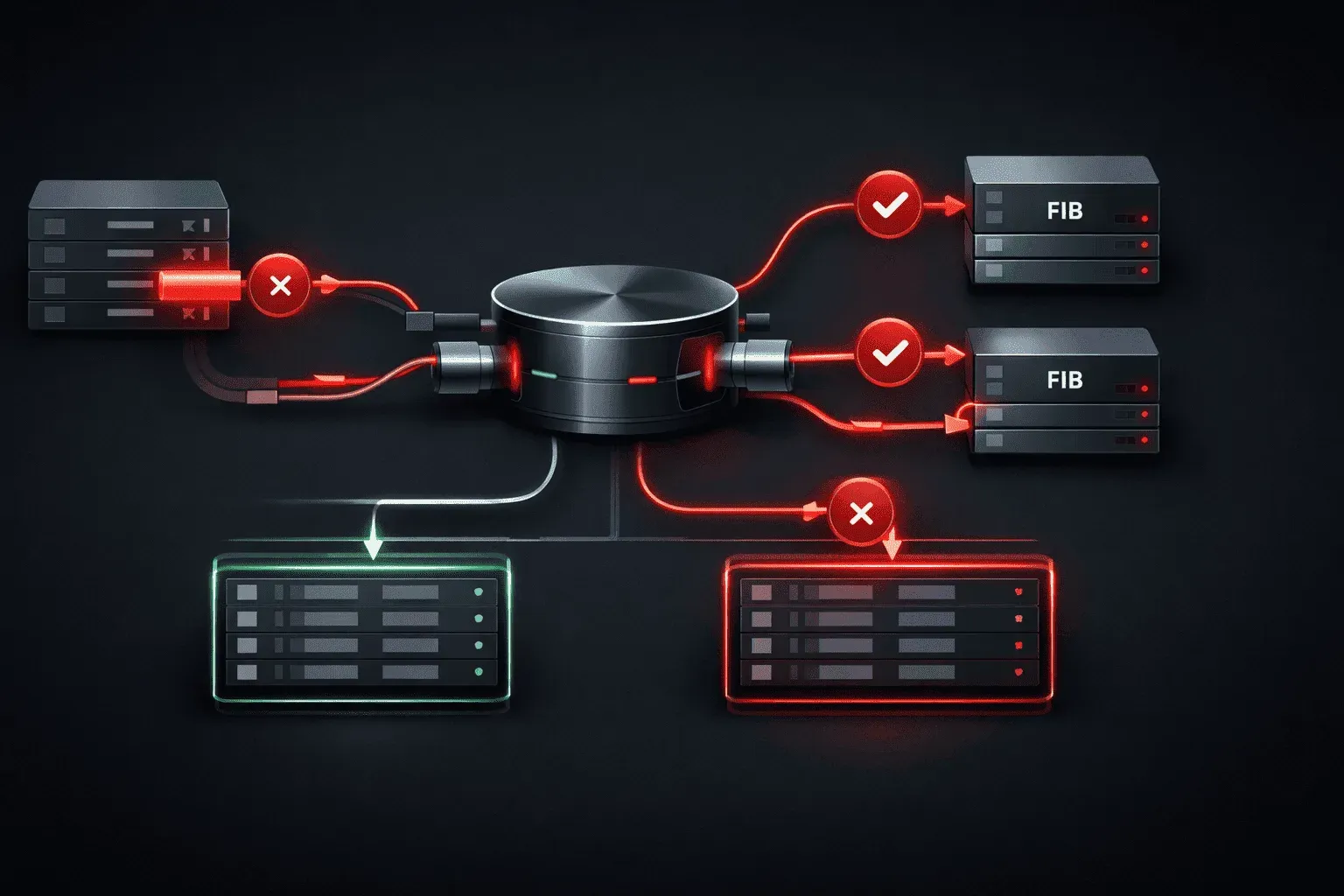
Unicast Reverse Path Forwarding (uRPF) serves as a critical defense mechanism against IP spoofing attacks by validating the source address of incoming packets against the routing table. As networks grow increasingly complex and security threats evolve, proper uRPF implementation becomes essential for maintaining network integrity and preventing malicious traffic from traversing your infrastructure.
Understanding uRPF Operation
uRPF operates by performing a reverse lookup on the source IP address of incoming packets. When a packet arrives on an interface, the router checks whether it has a route back to the source address through the same interface the packet arrived on (strict mode) or through any interface (loose mode). This validation process effectively blocks packets with forged or unreachable source addresses.
The mechanism relies on the Forwarding Information Base (FIB) to perform these lookups efficiently. Unlike traditional access lists that examine packet headers sequentially, uRPF leverages the router's existing forwarding hardware, making it a performance-friendly security solution.
uRPF Configuration Modes
Strict Mode Implementation
Strict mode provides the highest level of security by requiring packets to arrive on the same interface through which the router would forward return traffic. This configuration works best on interfaces with predictable traffic patterns.
interface GigabitEthernet0/1
 description Connection to ISP-A
 ip address 203.0.113.1 255.255.255.252
 ip verify unicast source reachable-via rx
 ip verify unicast reverse-path
The reachable-via rx parameter enforces strict mode verification. This configuration is ideal for single-homed connections where asymmetric routing is not expected.
Loose Mode Configuration
Loose mode offers more flexibility by accepting packets as long as a route exists to the source address, regardless of the ingress interface. This approach suits environments with asymmetric routing or multi-homed connections.
interface GigabitEthernet0/2
 description Multi-homed connection
 ip address 198.51.100.1 255.255.255.252
 ip verify unicast source reachable-via any
The reachable-via any parameter enables loose mode, providing IP spoofing prevention while accommodating complex routing scenarios.
Advanced uRPF Features
Access List Integration
Combining uRPF with access lists allows for granular control over which packets undergo verification. This hybrid approach enables you to exempt legitimate traffic that might otherwise be blocked.
ip access-list extended URPF_EXEMPT
 permit ip 192.168.100.0 0.0.0.255 any
 deny ip any any

interface GigabitEthernet0/3
 ip verify unicast source reachable-via rx URPF_EXEMPT
This configuration exempts the 192.168.100.0/24 network from uRPF checks while applying strict verification to all other traffic.
Drop Notification and Logging
Enabling drop notifications helps track uRPF activity and identify potential attacks or misconfigurations:
ip cef
interface GigabitEthernet0/1
 ip verify unicast source reachable-via rx
 ip verify unicast notification threshold 100
The notification threshold triggers logging when the drop rate exceeds the specified packets per second, providing visibility into uRPF operations.
Deployment Considerations
Asymmetric Routing Scenarios
In networks with multiple paths or load balancing, asymmetric routing can cause legitimate packets to fail uRPF checks. Consider these deployment strategies:
- Edge Interfaces: Use strict mode on customer-facing and internet-facing interfaces
- Internal Interfaces: Apply loose mode or disable uRPF on interfaces with expected asymmetric flows
- MPLS Environments: Configure uRPF carefully on PE routers to avoid blocking legitimate customer traffic
Performance Impact Assessment
While uRPF leverages hardware-based FIB lookups, monitor CPU utilization and interface statistics after implementation:
show ip interface GigabitEthernet0/1
show cef interface GigabitEthernet0/1
show ip traffic
These commands reveal interface-specific uRPF statistics and overall IP processing metrics.
uRPF Troubleshooting Methodology
Verification Commands
Several commands assist in uRPF troubleshooting and validation:
show ip interface brief | include verify
show cef interface detail
show ip cef exact-route [source-ip] [destination-ip]
The CEF exact-route command helps determine whether the routing table contains the necessary return path for uRPF validation.
Common Issues and Solutions
Legitimate Traffic Drops: When uRPF blocks valid traffic, examine the routing table for missing or suboptimal routes. Use show ip route [source-ip] to verify return path availability.
Asymmetric Routing Conflicts: If strict mode causes issues, temporarily switch to loose mode and analyze traffic patterns using debug ip packet (use cautiously in production).
DHCP and Dynamic Addressing: Networks using DHCP may experience issues if the DHCP server's route isn't properly established. Ensure DHCP relay configurations include appropriate return routes.
Monitoring and Baseline Establishment
Establish baseline metrics before full deployment:
show interfaces summary
show ip cef summary
show processes cpu | include IP Input
Compare these metrics post-implementation to identify any performance degradation.
Integration with Network Security Policies
Effective uRPF configuration requires coordination with other security mechanisms. Consider uRPF as part of a layered security approach that includes:
- Rate limiting for specific traffic types
- Access control lists for granular filtering
- BGP route filtering and validation
- Infrastructure ACLs protecting management plane
Document uRPF configurations in your security policies, including interface-specific modes and exemptions, to ensure consistent implementation across your network infrastructure.
What's Next
With uRPF properly implemented and validated, the next critical security component involves implementing Control Plane Policing (CoPP) to protect the router's CPU from reconnaissance and DoS attacks. CoPP works in conjunction with uRPF to provide comprehensive infrastructure protection by rate-limiting and filtering traffic destined to the router itself.