
Managing Virtual Machines: Disk Operations and VM States
Learn essential VM disk operations including creating, resizing, and snapshotting virtual disks, plus managing VM states like running, paused, and saved in Linux environments. Covers practical commands using KVM/virsh for effective virtual machine management.

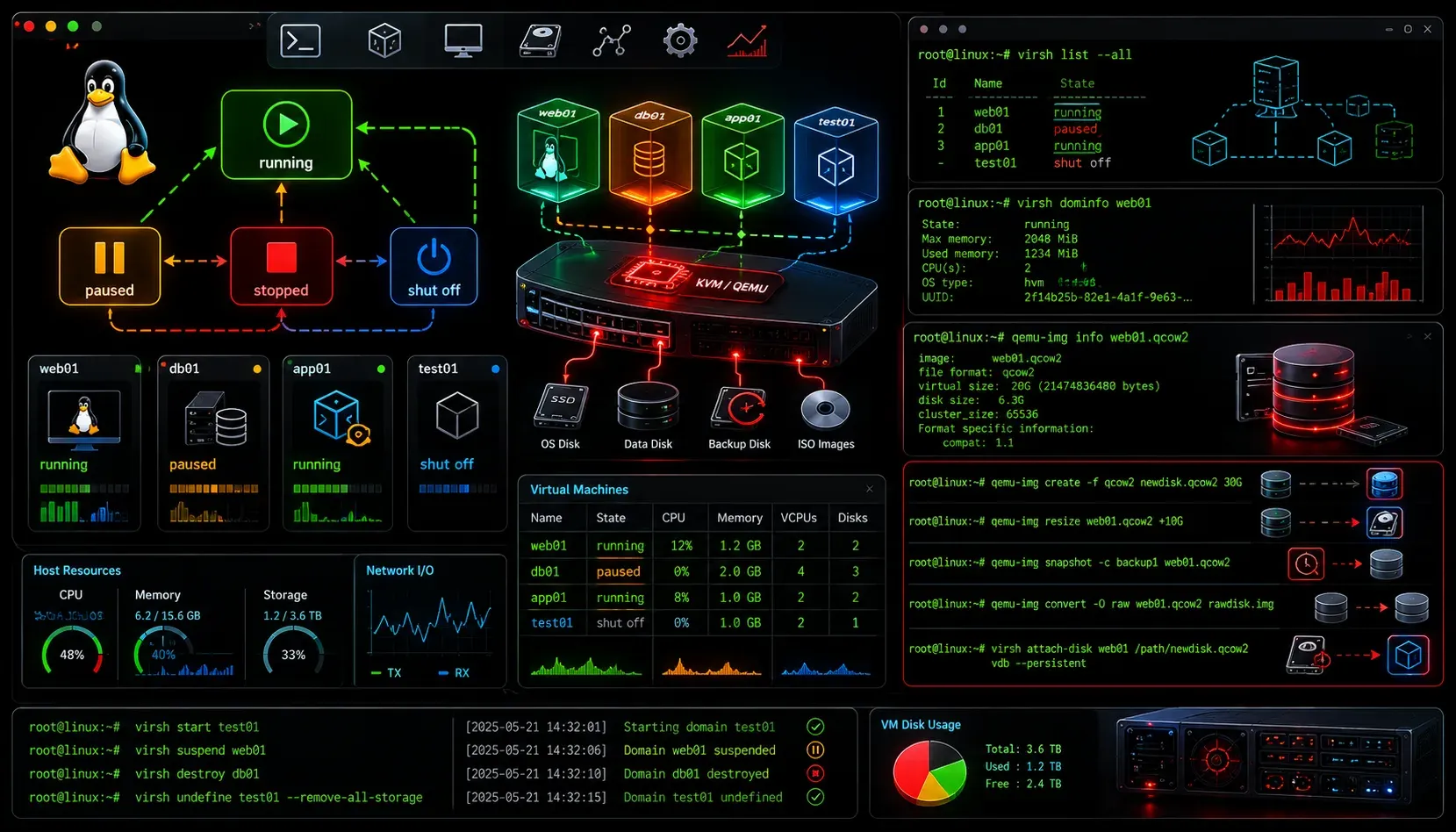
Managing virtual machines effectively requires understanding two critical concepts: how to handle disk operations and how to manage different VM states. Whether you're using KVM, VirtualBox, or VMware on your Linux system, these fundamental skills will help you maintain and troubleshoot your virtualized environment.
Understanding VM Disk Operations
VM disk operations form the backbone of virtual machine management. Virtual disks store your VM's operating system, applications, and data, and knowing how to manipulate them is essential for any Linux administrator.
Creating Virtual Disks
The most common virtual disk format in Linux environments is qcow2, used by KVM. To create a new virtual disk, use the qemu-img command:
qemu-img create -f qcow2 /var/lib/libvirt/images/myvm.qcow2 20GThis creates a 20GB disk image with dynamic allocation, meaning it only uses space as needed. For better performance in production environments, you might want to pre-allocate the space:
qemu-img create -f qcow2 -o preallocation=full /var/lib/libvirt/images/myvm.qcow2 20GResizing Virtual Disks
One of the most powerful features of VM disk operations is the ability to resize disks without downtime in many cases. To expand a virtual disk:
qemu-img resize /var/lib/libvirt/images/myvm.qcow2 +10GAfter resizing the virtual disk, you'll need to extend the partition and filesystem within the VM using tools like fdisk and resize2fs.
Taking Disk Snapshots
Snapshots capture the state of your VM's disk at a specific point in time. This is invaluable for testing and backup purposes:
virsh snapshot-create-as myvm snapshot1 "Before system update"To restore from a snapshot:
virsh snapshot-revert myvm snapshot1Managing VM States
Understanding VM states is crucial for effective Linux VM management. Virtual machines can exist in several states, each serving different purposes and consuming different amounts of system resources.
Common VM States
The primary VM states you'll encounter include:
- Running: The VM is actively executing and consuming CPU and memory resources
- Paused: The VM's execution is temporarily suspended, but it remains in memory
- Shut off: The VM is completely stopped and consumes no resources
- Saved: The VM's state is written to disk and can be restored later
State Management Commands
Using virsh with KVM, you can control VM states effectively:
# Start a VM
virsh start myvm

# Gracefully shutdown a VM
virsh shutdown myvm

# Force stop a VM
virsh destroy myvm

# Pause a VM
virsh suspend myvm

# Resume a paused VM
virsh resume myvm

# Save VM state to disk
virsh save myvm /var/lib/libvirt/save/myvm.save

# Restore VM from saved state
virsh restore /var/lib/libvirt/save/myvm.save
Monitoring VM Status
To check the current state of all VMs on your system:
virsh list --allThis command displays all VMs along with their current states, helping you quickly assess your virtual infrastructure.
Best Practices for VM Management
When performing VM disk operations and managing VM states, consider these important practices:
- Always take snapshots before major system changes or updates
- Use the
savedstate for VMs you need to pause for extended periods - Monitor disk space usage, especially with dynamic allocation
- Gracefully shut down VMs when possible to avoid data corruption
Troubleshooting Common Issues
If a VM becomes unresponsive, try pausing and resuming it first before forcing a shutdown. For disk-related issues, use qemu-img check to verify disk image integrity:
qemu-img check /var/lib/libvirt/images/myvm.qcow2What's Next
Now that you understand VM disk operations and state management, the next logical step is learning about VM networking configuration and how to set up virtual networks to connect your VMs securely and efficiently.
Tools and resources for this topic
- CompTIA Linux+ Study Guide — Comprehensive Linux+ exam preparation covering system administration, security, and scripting.