
XML Attributes vs Elements: When to Use Each
Learn when to use XML attributes versus elements in your documents. This guide covers practical decision-making rules and shows real examples of how to structure XML data effectively for both human readability and machine processing.

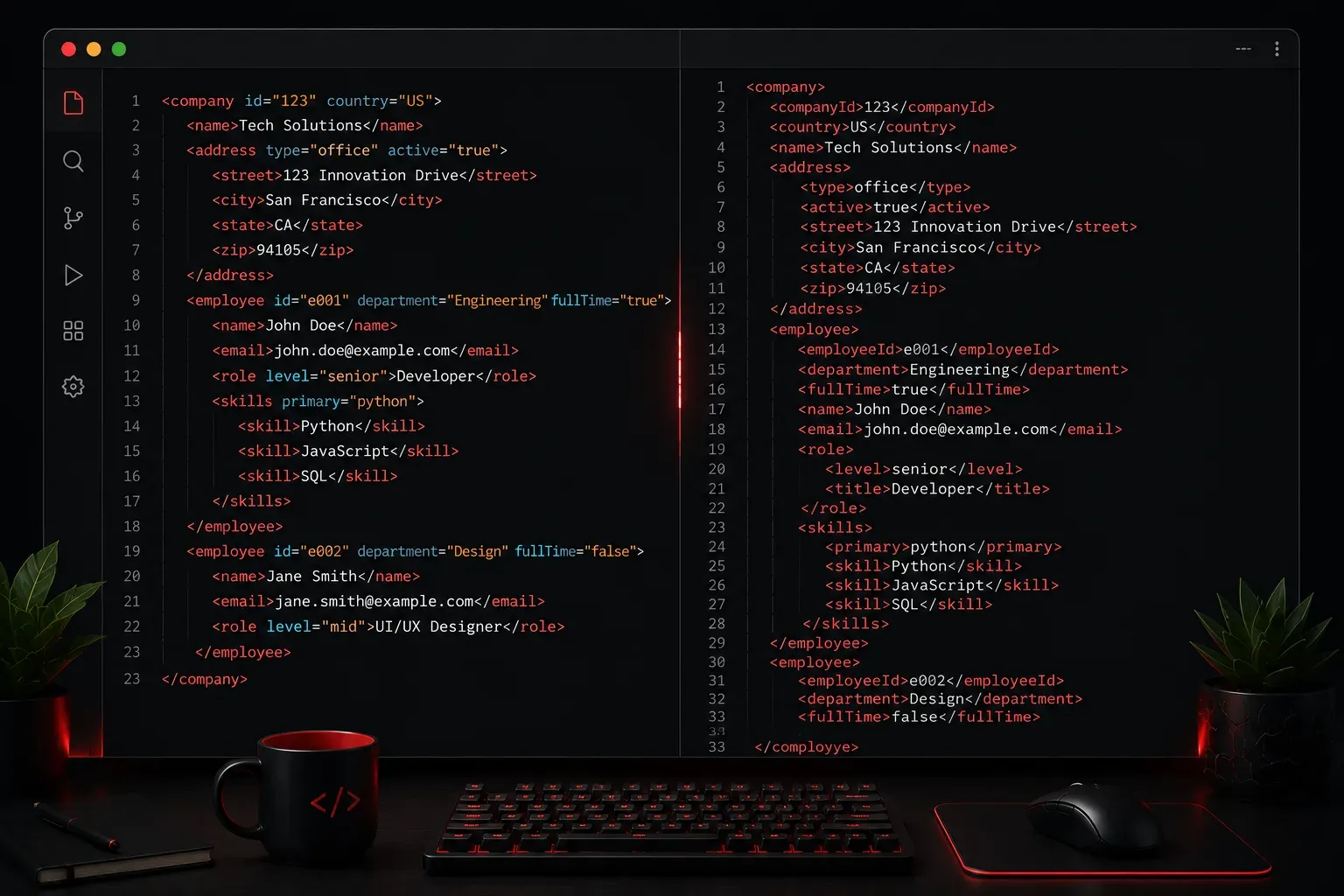
When you're working with XML, one of the most common questions that comes up is whether to store data as an attribute or as an element. Both serve the purpose of holding information, but they have different characteristics that make them suitable for different scenarios. Understanding when to use each will help you create cleaner, more maintainable XML documents.
Understanding the Difference
Let's start with a simple example to illustrate the difference:
<!-- Using attributes -->
<person id="123" name="John Smith" age="30" />

<!-- Using elements -->
<person>
    <id>123</id>
    <name>John Smith</name>
    <age>30</age>
</person>
Both approaches store the same information, but they do it differently. Attributes appear inside the opening tag and are always name-value pairs, while elements create nested structures with opening and closing tags.
When to Use Attributes
Attributes work best for metadata - information that describes the element rather than being part of its core content. Here are the key scenarios:
Identifiers and References
Use attributes for unique identifiers, references, and keys that link to other parts of your document or external systems:
<book id="isbn-978-0134685991" category-ref="programming">
    <title>Effective Java</title>
    <author>Joshua Bloch</author>
</book>
Configuration and Display Properties
Attributes are perfect for settings that control how content should be processed or displayed:
<image src="photo.webp" width="300" height="200" alt="Team photo" />
<text font="Arial" size="12" color="blue">Welcome message</text>
Simple, Single Values
When you have straightforward, atomic data that won't need to be extended or contain special characters, attributes are often the cleaner choice.
When to Use Elements
Elements are better for actual content and data that might need to grow or change over time. Here's when to choose elements:
Complex or Multi-line Content
Any data that contains line breaks, special characters, or could become lengthy should use elements:
<product>
    <name>Wireless Headphones</name>
    <description>
        High-quality wireless headphones with noise cancellation.
        Perfect for music lovers and professionals.
    </description>
    <specifications>
        <battery-life>30 hours</battery-life>
        <weight>250g</weight>
    </specifications>
</product>
Hierarchical or Structured Data
When your data has natural parent-child relationships or could contain nested information, elements are the way to go:
<address>
    <street>123 Main Street</street>
    <city>San Francisco</city>
    <state>CA</state>
    <postal-code>94105</postal-code>
</address>
Data That Might Expand
If you think a piece of data might need additional properties or structure in the future, start with elements to give yourself flexibility.
Practical Guidelines
Here are some quick decision-making rules to follow:
- Ask "Is this metadata or content?" - Metadata goes in attributes, content goes in elements
- Keep attributes simple - No spaces, special characters, or line breaks
- Consider your audience - Elements are easier for humans to read; attributes are often better for machine processing
- Think about validation - Some XML schema languages handle attributes differently than elements
- Plan for growth - It's easier to add child elements than to restructure attributes later
A Mixed Approach Example
In practice, most well-designed XML uses both attributes and elements strategically:
<invoice id="INV-2024-001" date="2024-01-15" status="paid">
    <customer>
        <name>Acme Corporation</name>
        <contact-email>[email protected]</contact-email>
    </customer>
    <items>
        <item sku="WH-001" quantity="2">
            <description>Wireless Headphones</description>
            <unit-price>99.99</unit-price>
        </item>
    </items>
    <total>199.98</total>
</invoice>
Notice how identifiers, quantities, and status information use attributes, while descriptive content and structured data use elements.
What's Next
Now that you understand the difference between attributes and elements, the next step is learning about XML namespaces. Namespaces help you avoid naming conflicts when combining XML from different sources, which becomes crucial as your XML documents grow more complex.