
Troubleshooting BGP Neighbor Relationships and Authentication
Comprehensive guide to troubleshooting BGP neighbor relationship failures, covering authentication issues, multihop configuration problems, and systematic diagnostic approaches for enterprise network engineers.

When BGP neighbor relationships fail to establish, the impact on your enterprise routing infrastructure can be severe. Unlike IGP adjacency failures that might affect a single area or AS, BGP neighbor issues can isolate entire network segments or break critical inter-AS connectivity. This post examines systematic approaches to diagnosing and resolving BGP neighbor problems, with particular focus on authentication failures and multihop scenarios.
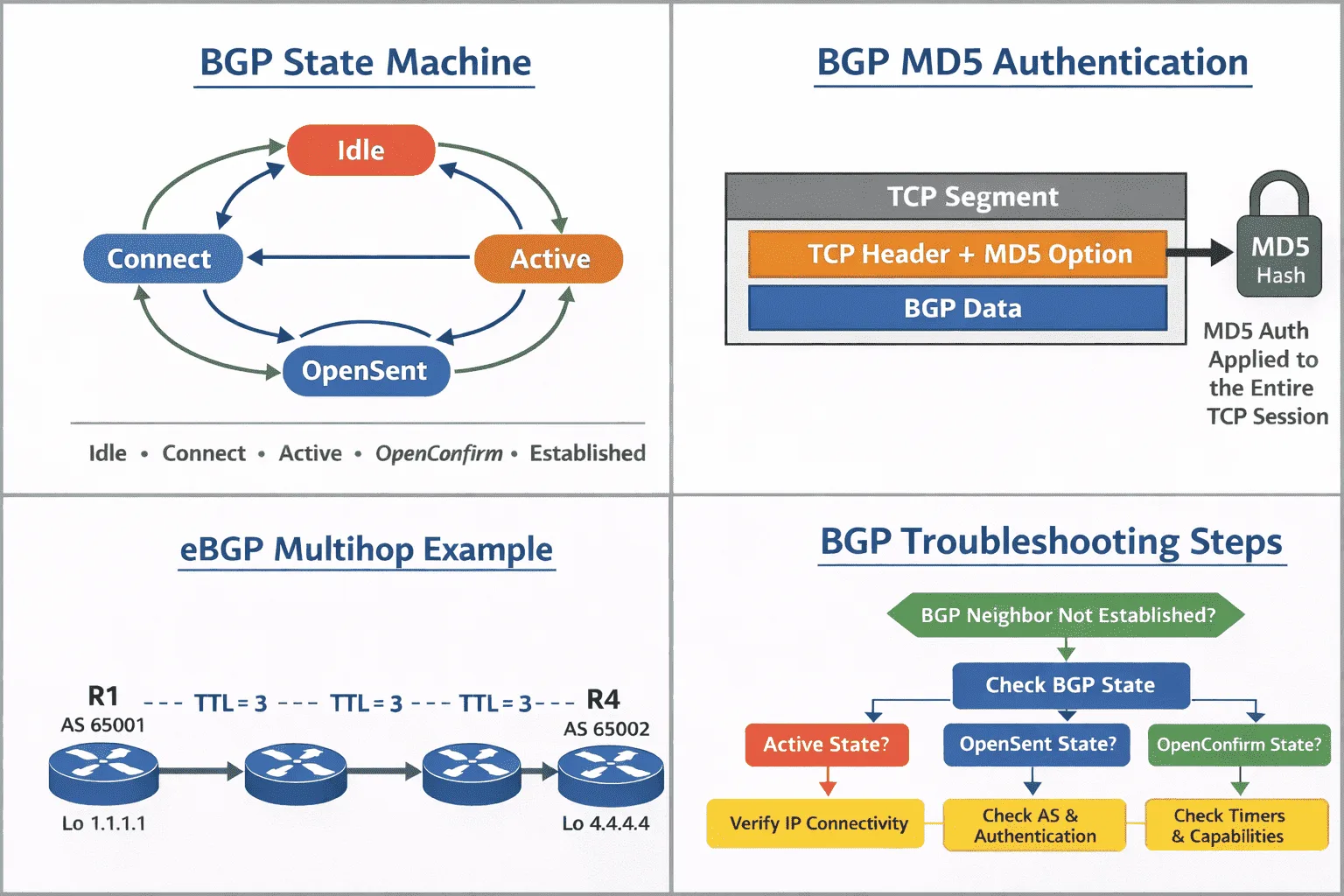
BGP Neighbor State Machine Troubleshooting
BGP neighbor troubleshooting begins with understanding where the relationship fails in the FSM progression. The show ip bgp summary command provides the current state, but for active troubleshooting, monitor state transitions with debugging:
Router# debug ip bgp events
Router# debug ip bgp keepalives
Router# show ip bgp neighbors [neighbor-ip] | include BGP state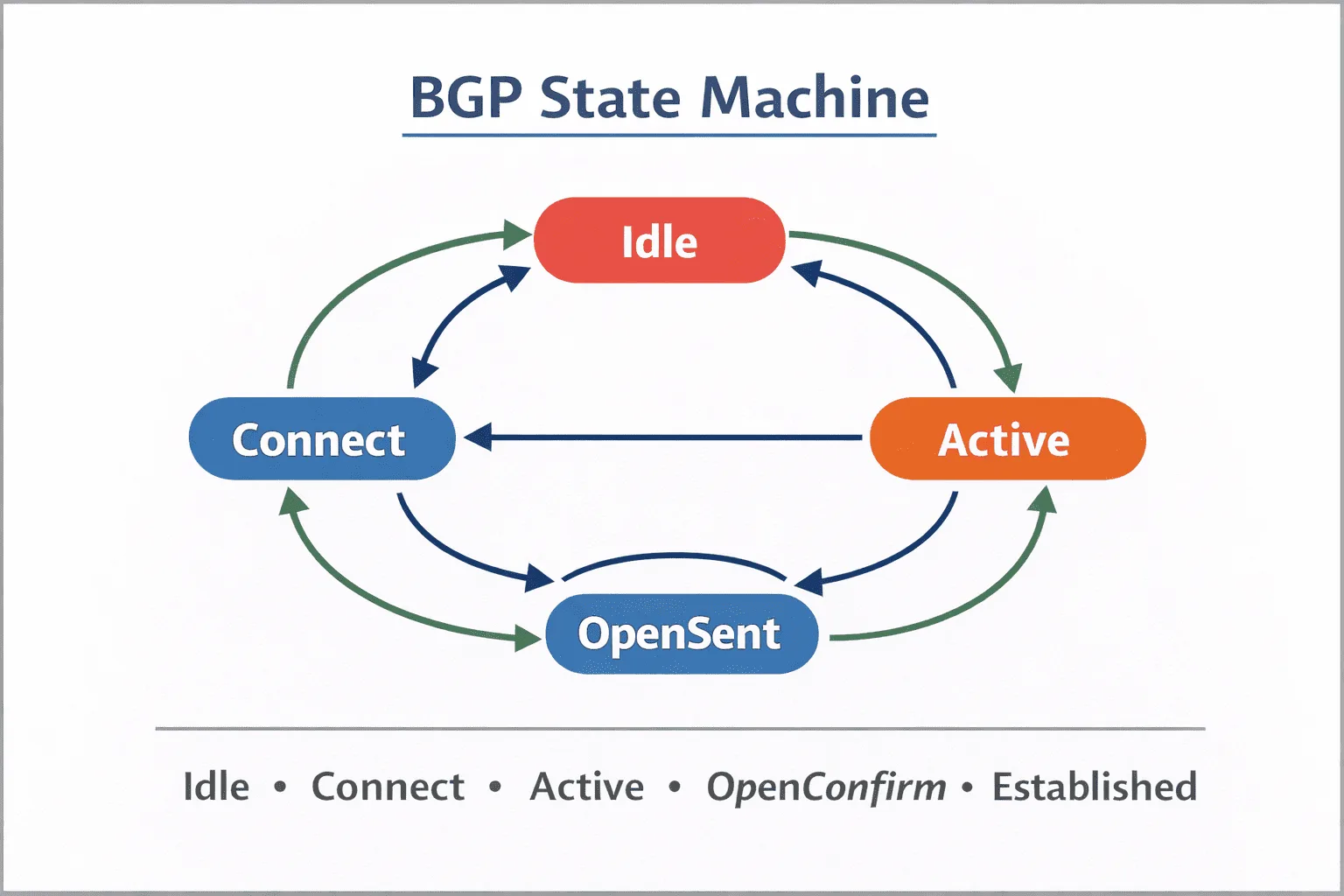
Common failure points and their indicators:
- Active State: Router is attempting to initiate TCP connection but failing. Check routing to neighbor IP and ACLs.
- Connect State: TCP three-way handshake failing. Often indicates routing issues or port 179 filtering.
- OpenSent State: TCP established, but BGP OPEN message exchange failing. Usually AS number mismatches or authentication failures.
- OpenConfirm State: OPEN messages exchanged, waiting for KEEPALIVE. Timer mismatches are common here.
For persistent Active states, verify bidirectional reachability between loopback interfaces used for eBGP multihop or iBGP sessions:
Router# ping [neighbor-ip] source [local-update-source]
Router# traceroute [neighbor-ip] source [local-update-source]
Authentication Troubleshooting
BGP authentication failures manifest as repeated transitions between Idle and Active states, with authentication error messages in logs. BGP MD5 authentication is implemented as a TCP option and secures all TCP segments in the session.
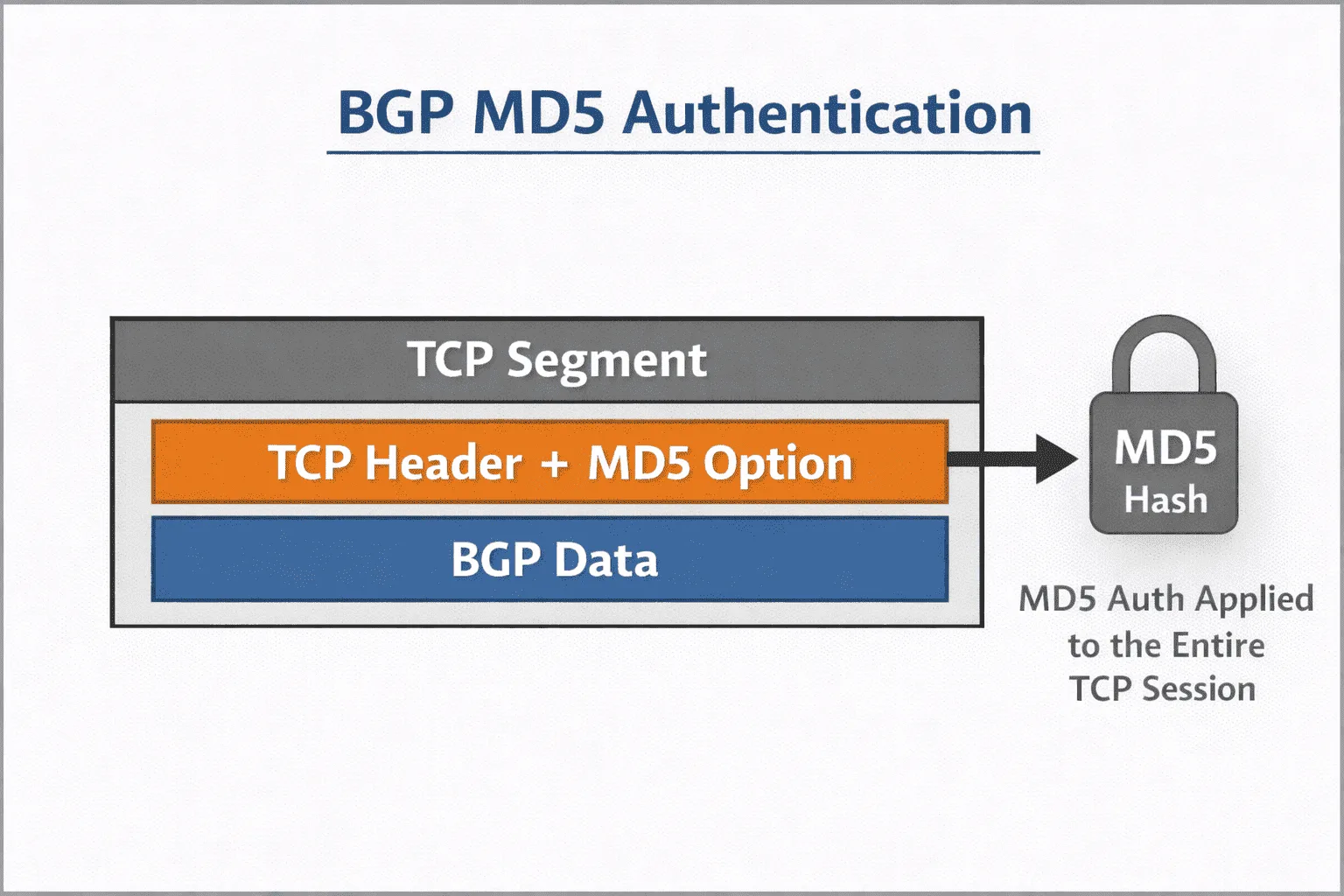
To diagnose authentication issues:
Router# show tcp brief | include :179
Router# debug ip tcp transactions
Router# show ip bgp neighbors [ip] | include Password
Common authentication problems include:
- Password mismatch between neighbors
- Authentication configured on one side only
- Case sensitivity differences in password strings
- Special characters causing parsing issues
Verify authentication configuration consistency:
router bgp 65001
 neighbor 10.1.1.2 remote-as 65002
 neighbor 10.1.1.2 password MySecretKey123
 neighbor 10.1.1.2 update-source loopback0
When troubleshooting authentication, temporarily remove the password configuration from both neighbors to isolate whether the issue is authentication-specific or broader connectivity problems. Re-enable authentication once basic connectivity is confirmed.
eBGP Multihop Configuration Issues
By default, eBGP sessions use a TTL of 1, which assumes the neighbor is directly connected. When eBGP peers are separated by one or more Layer 3 hops, the TTL must be increased using the ebgp-multihop command.
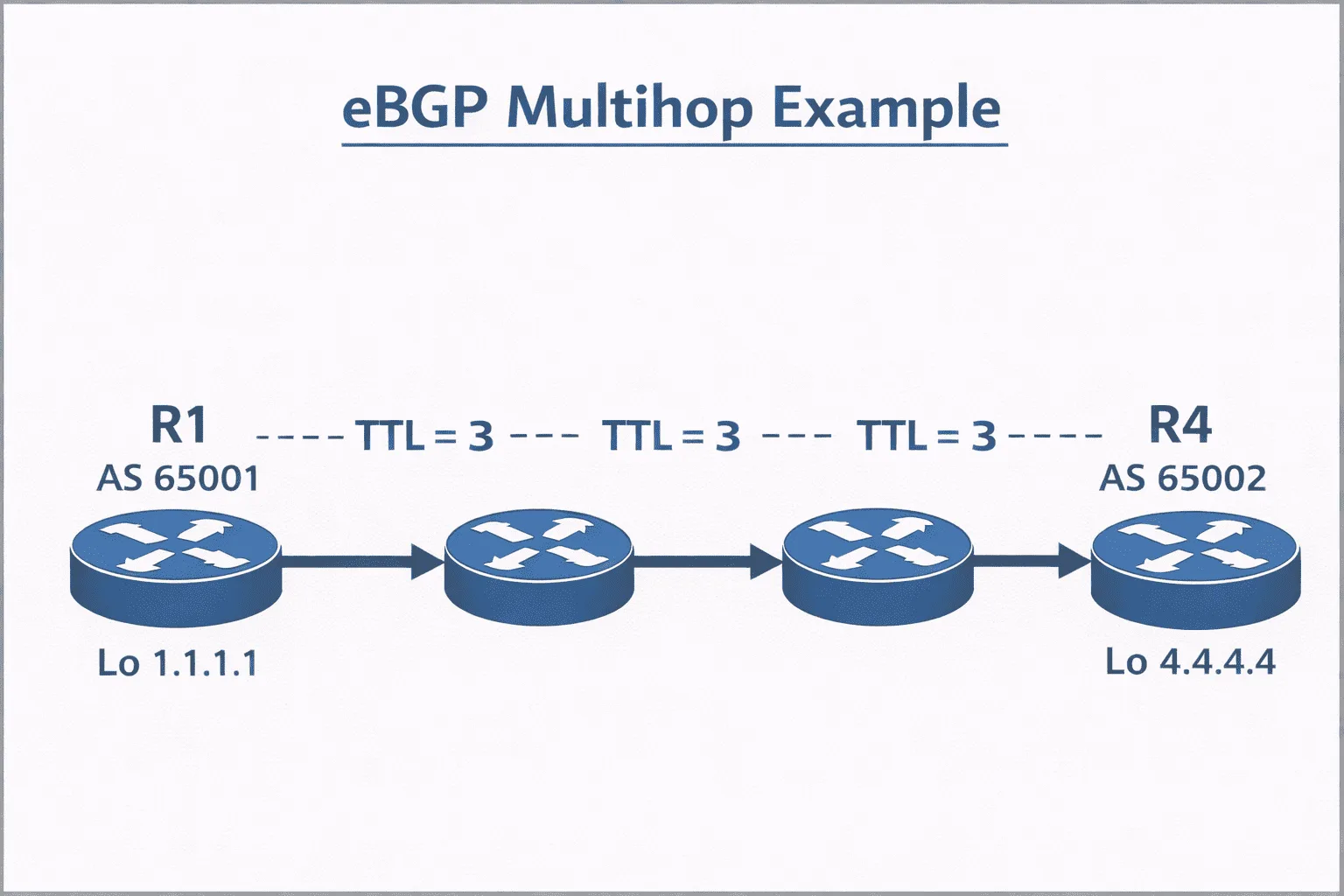
Diagnose multihop issues with packet capture analysis:
Router# show ip bgp neighbors [ip] | include External
Router# show ip bgp neighbors [ip] | include TTL
Proper eBGP multihop configuration requires three components:
router bgp 65001
 neighbor 192.168.1.1 remote-as 65002
 neighbor 192.168.1.1 ebgp-multihop 2
 neighbor 192.168.1.1 update-source loopback0
!
ip route 192.168.1.1 255.255.255.255 10.1.1.2
The ebgp-multihop value sets the maximum TTL for the session and must be greater than or equal to the number of Layer 3 hops between the BGP peers. It does not need to match the hop count exactly, but it must be high enough to allow packets to reach the remote peer.
Use traceroute to determine the hop count between peers, then configure a multihop value that safely exceeds that number.
For eBGP multihop troubleshooting, verify that routing exists for the neighbor's update-source address in both directions. Static routes or IGP advertisements for loopback networks are typically required.
Timer and Keepalive Troubleshooting
BGP timer mismatches can cause sessions to flap or fail to establish properly. While BGP negotiates timers during session establishment, significant mismatches can cause issues.
Check current timer configuration and negotiated values:
Router# show ip bgp neighbors [ip] | include Keepalive
Router# show ip bgp neighbors [ip] | include Hold time
Default BGP timers are 60 seconds for keepalive and 180 seconds for hold time. In high-availability environments, these are often tuned more aggressively:
router bgp 65001
 neighbor 10.1.1.2 timers 30 90
When troubleshooting timer-related issues, temporarily reset timers to defaults on both neighbors to eliminate timer mismatches as a variable.
Route Refresh Capability Issues
Route refresh is a negotiated BGP capability that allows a neighbor to request updated routing information without resetting the session. During session establishment, both peers advertise their supported capabilities in the OPEN message.
Verify route refresh capability negotiation:
Router# show ip bgp neighbors [ip] | include Route refresh
Router# show ip bgp neighbors [ip] | include Capabilities
To manually trigger route refresh for testing:
Router# clear ip bgp [ip] soft in
Router# clear ip bgp [ip] soft out
If route refresh capability is not present, it typically indicates that the neighbor does not support the feature or that capability negotiation failed during session establishment. Modern Cisco IOS implementations support route refresh by default.
Use show ip bgp neighbors to verify that the Route Refresh capability was successfully negotiated.
Systematic Troubleshooting Methodology
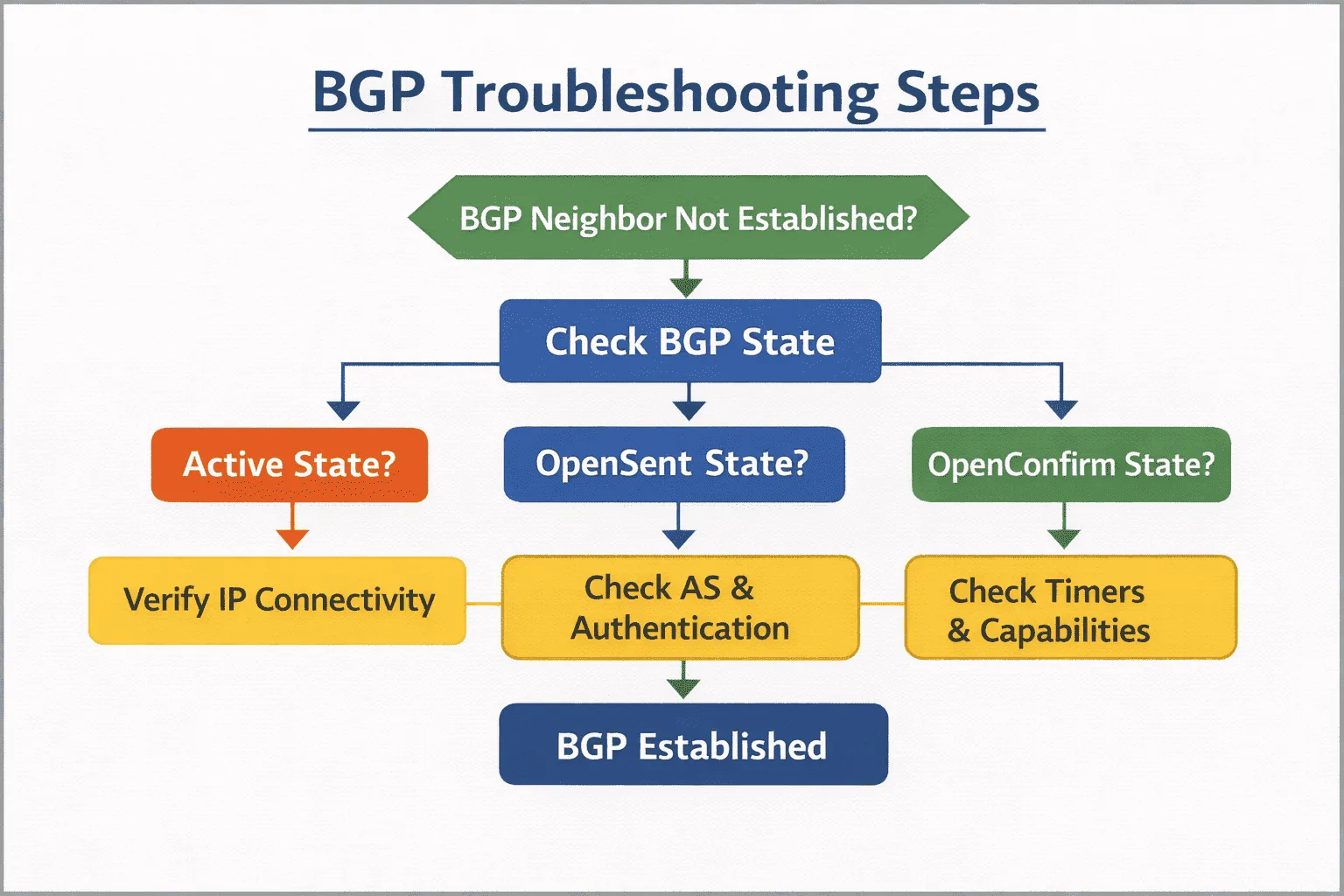
For complex BGP neighbor issues, follow this systematic approach:
- Verify physical and data link connectivity
- Confirm IP reachability between update-source addresses
- Check AS number configuration on both sides
- Verify authentication configuration matches exactly
- Validate multihop configuration if applicable
- Review access-lists and firewall rules for port 179
- Compare timer configurations
- Monitor BGP state transitions with debugging
Document each step's results to build a complete picture of the neighbor relationship health and identify the specific failure point.
What's Next
Once BGP neighbor relationships are stable, the next critical area is route advertisement and filtering. Understanding how to control which prefixes are advertised to specific neighbors, implement route-maps for granular policy control, and troubleshoot missing routes in the BGP table becomes essential for managing complex BGP deployments.