
Comparing MVC and Observer in Automation Projects
This post compares the MVC and Observer design patterns with practical Python examples focused on network automation projects. It explains when to use each pattern, highlights their key differences, and shows how they can complement each other in real automation tools.

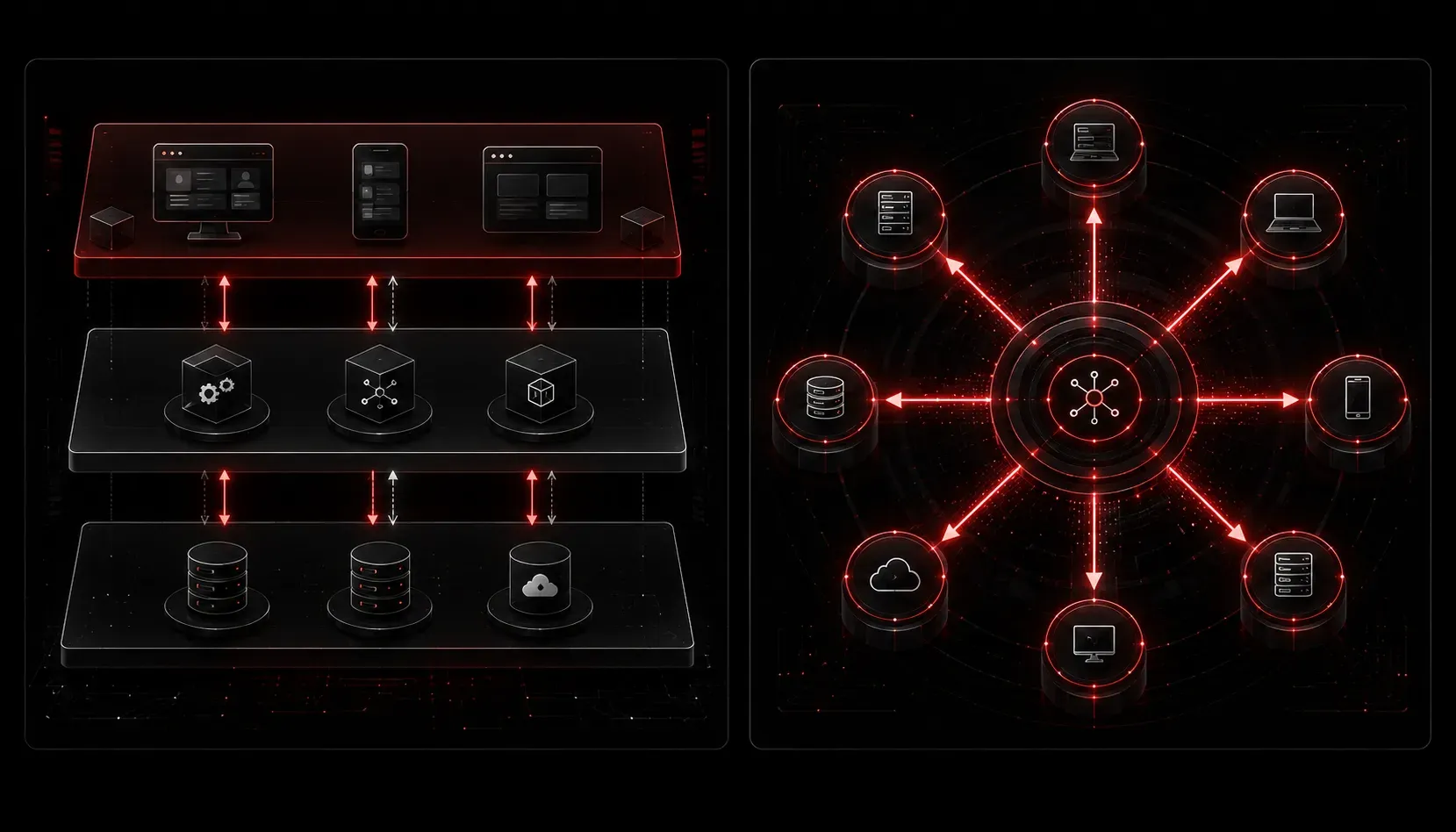
When you start building automation tools (whether that's a Netmiko-based script with a simple dashboard, a network inventory app, or a configuration management utility), you will quickly run into a choice: how do you organize the code so it doesn't turn into spaghetti? Two design patterns come up often in this space: MVC (Model-View-Controller) and Observer. Understanding the difference is genuinely useful for network automation development, and both patterns are relevant to the software design fundamentals covered in the Cisco Certified DevNet Associate (DEVASC 200-901) exam.
Let's break down what each pattern does, then compare them in the context of real automation projects.
What Is MVC?
MVC splits your application into three distinct layers:
- Model: the data and business logic (e.g., your device inventory, interface states)
- View: what the user sees (CLI output, a web page, a dashboard)
- Controller: the glue that handles user input and tells the Model and View what to do
Think of a simple network automation web app. The Model fetches interface data from a router using Netmiko. The View renders it as an HTML table. The Controller receives a button click from the user, calls the Model, and passes the result to the View. Each piece has one job.
# Simplified MVC concept in Python

class Model:
    def get_interfaces(self):
        # Would normally call Netmiko here
        return {"GigabitEthernet0/0": "up", "GigabitEthernet0/1": "down"}

class View:
    def display(self, data):
        for interface, status in data.items():
            print(f"{interface}: {status}")

class Controller:
    def __init__(self):
        self.model = Model()
        self.view = View()

    def run(self):
        data = self.model.get_interfaces()
        self.view.display(data)

app = Controller()
app.run()
MVC is great when your automation project has a clear user interface layer, even if that "UI" is just a structured CLI output or a web front end.
What Is Observer?
The Observer pattern is about event-driven communication. One object (the Subject or Publisher) maintains a list of other objects (the Observers or Subscribers) and notifies them automatically when something changes. The observers don't need to constantly poll for updates; they just wait and react.
# Simplified Observer pattern in Python

class Subject:
    def __init__(self):
        self._observers = []
        self._state = None

    def attach(self, observer):
        self._observers.append(observer)

    def notify(self):
        for observer in self._observers:
            observer.update(self._state)

    def set_state(self, state):
        self._state = state
        self.notify()

class AlertObserver:
    def update(self, state):
        if state == "down":
            print("ALERT: Interface went down!")

class LogObserver:
    def update(self, state):
        print(f"LOG: Interface state changed to {state}")

# Usage
interface_monitor = Subject()
interface_monitor.attach(AlertObserver())
interface_monitor.attach(LogObserver())

interface_monitor.set_state("down")
In an automation context, think of a network monitoring script that watches for SNMP traps or syslog events. When a link goes down, the Subject notifies an alerting system, a logging system, and a ticketing system, all independently, without those components knowing about each other. This kind of event-driven design is common in real-world automation workflows built around platforms like Cisco DNA Center webhooks or Meraki Dashboard alerts.
MVC vs Observer in Automation: When to Use Which
This is the practical part. Here's a straightforward design pattern comparison to guide your decisions:
- Use MVC when your project has a clear separation between data, presentation, and user interaction. A configuration audit tool with a web front end, or a CLI app where users request data and see results, fits MVC well. For example, a Python Flask app that pulls device configs via RESTCONF and displays them in a browser maps cleanly onto MVC.
- Use Observer when your project is event-driven: reacting to things that happen rather than responding to direct user requests. Network event monitoring, syslog processors, and webhook handlers are natural Observer territory. A script that receives a Cisco IOS syslog event and simultaneously triggers a Webex notification and a ServiceNow ticket is a practical Observer implementation.
- Combine them when it makes sense. An automation dashboard (MVC) might internally use Observer to push live interface status updates to the View without the user refreshing the page.
The key distinction is this: MVC is about structure (how the app is organized), while Observer is about communication (how components talk to each other when things change). They solve different problems, and in larger automation projects, you'll likely use both.
A Quick Reference Table
| Feature | MVC | Observer |
|---|---|---|
| Primary purpose | Separate UI, logic, and data | Notify components of state changes |
| Trigger | User action | Event or state change |
| Typical use case | Configuration tools, dashboards | Monitoring, alerting, event processing |
| Coupling | Loosely coupled layers | Very loosely coupled components |
What's Next
Now that you can tell MVC and Observer apart, the next step is understanding how these patterns interact with REST APIs, which are at the core of most modern network automation workflows. In the next post, we'll look at how REST API design principles connect back to these software patterns and why it matters for your DevNet studies.
If you want to go deeper on software design concepts for the Cisco Certified DevNet Associate exam, the Cisco Press CCNA DevNet Associate DEVASC 200-901 Official Cert Guide covers these fundamentals in detail alongside the full exam blueprint.