
Kubernetes Networking: Pods, Services, and Ingress Explained
This post explains how Kubernetes networking works through three core layers: pods get ephemeral IPs via CNI plugins, Services provide stable endpoints with load balancing, and Ingress controllers route HTTP traffic with advanced features. Understanding this flow from external traffic to applicatio

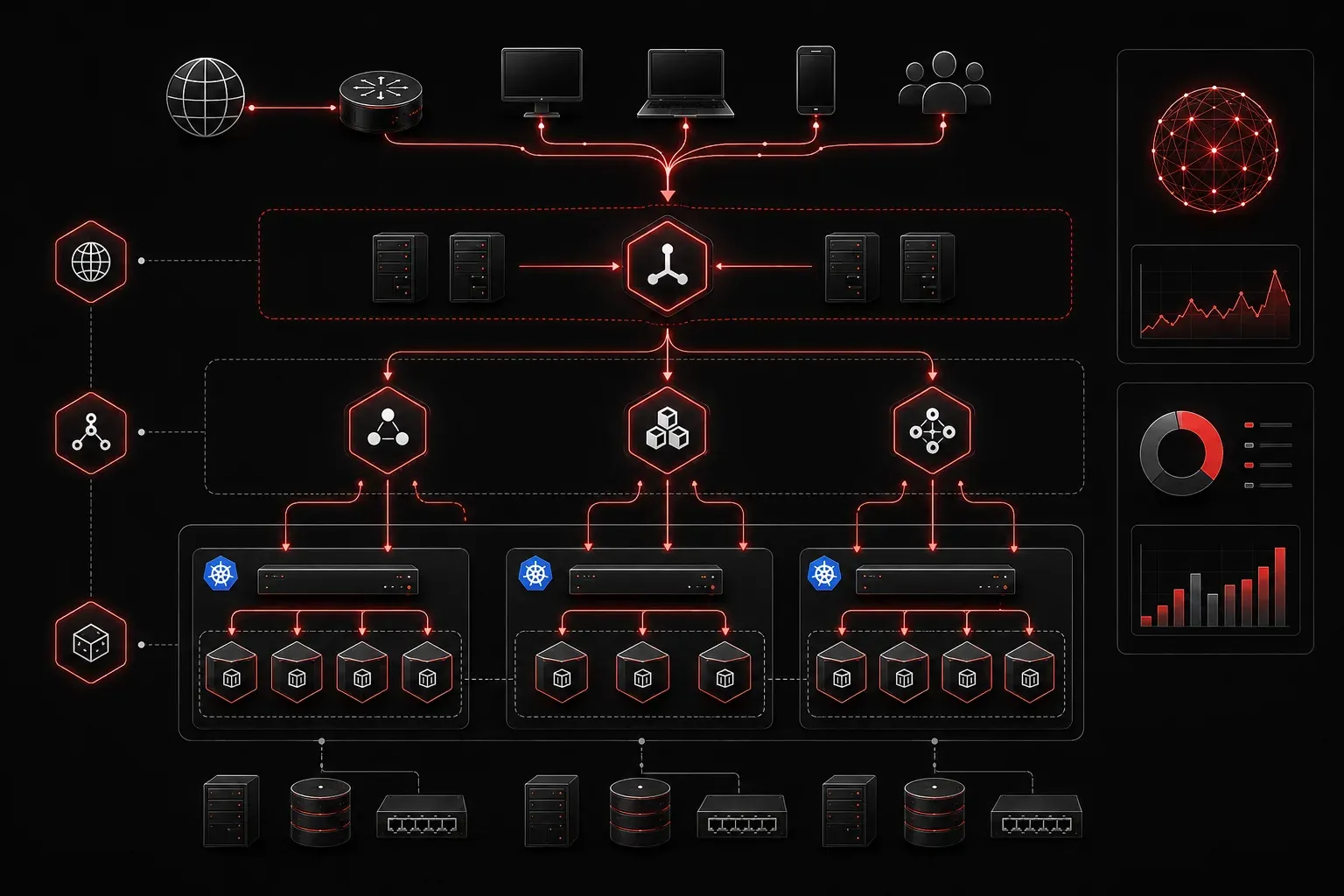
Kubernetes networking can feel overwhelming at first; there are pods, services, ingress controllers, and CNI plugins all working together to make your applications accessible. But once you understand the three core layers, it all clicks into place. Let's break down how traffic flows from the outside world to your applications.
Pod Networking: Where It All Starts
Every pod in Kubernetes gets its own IP address. This happens through the Container Network Interface (CNI), which is essentially a plugin that handles the low-level networking details. Popular CNI plugins like Flannel, Calico, or Weave create a flat network where pods can communicate directly with each other across nodes.
kubectl get pods -o wide
NAME                     READY   STATUS    RESTARTS   AGE   IP           NODE
web-app-7d4f8b6c9-xk2m   1/1     Running   0          2m    10.244.1.15  worker-1
web-app-7d4f8b6c9-zt7k   1/1     Running   0          2m    10.244.2.23  worker-2
Notice how each pod has a unique IP from the cluster's pod CIDR range. However, these IPs are ephemeral; when a pod dies and gets recreated, it receives a new IP address. This is where Services come into play.
Services: The Stable Network Layer
A Service provides a stable network endpoint for a group of pods. Think of it as a load balancer that sits in front of your pods, maintaining a consistent IP and DNS name even as individual pods come and go.
apiVersion: v1
kind: Service
metadata:
  name: web-service
spec:
  selector:
    app: web-app
  ports:
  - port: 80
    targetPort: 8080
  type: ClusterIP
When you create this Service, Kubernetes assigns it a virtual IP (VIP) from the service CIDR range. The kube-proxy component on each node handles traffic routing from the Service IP to the actual pod IPs. Kube-proxy can operate in different modes; the most common are iptables mode (which updates iptables rules) and IPVS mode (which uses Linux Virtual Server for better performance at scale).
kubectl get svc
NAME          TYPE        CLUSTER-IP      EXTERNAL-IP   PORT(S)   AGE
web-service   ClusterIP   10.96.145.23            80/TCP    5m
The Service types determine accessibility:
- ClusterIP: Internal cluster access only
- NodePort: Exposes the service on each node's IP at a specific port
- LoadBalancer: Provisions an external load balancer (cloud provider dependent)
Ingress: HTTP Traffic Routing
While Services handle basic load balancing, Ingress manages HTTP and HTTPS traffic routing with advanced features like path-based routing, SSL termination, and virtual hosting. An Ingress resource defines the routing rules, while an Ingress Controller (like NGINX, Traefik, or HAProxy) implements those rules.
apiVersion: networking.k8s.io/v1
kind: Ingress
metadata:
  name: web-ingress
spec:
  rules:
  - host: myapp.example.com
    http:
      paths:
      - path: /
        pathType: Prefix
        backend:
          service:
            name: web-service
            port:
              number: 80
The Ingress Controller watches for Ingress resources and configures itself to route traffic accordingly. Note that different Ingress Controllers may have varying levels of automatic configuration; some may require additional setup or annotations beyond basic Ingress resources. The Controller typically runs as a Service of type LoadBalancer or NodePort, providing the entry point for external traffic.
Putting It All Together
Here's how a typical request flows through Kubernetes networking:
- External traffic hits the Ingress Controller (often through a cloud load balancer)
- The Ingress Controller examines the hostname and path, then routes to the appropriate Service
- The Service load balances the request to one of its backing pods
- The CNI ensures the packet reaches the correct pod on the right node
This layered approach provides flexibility and resilience. You can scale pods up and down, replace them during deployments, or even migrate them between nodes; all while maintaining consistent network access through Services and Ingress. Understanding these networking fundamentals makes troubleshooting much easier. When something isn't working, you can trace the path: Is the pod running and healthy? Is the Service selecting the right pods? Are the Ingress rules configured correctly?
What's Next
Now that you understand the basic networking flow, the next step is diving into network policies for securing pod-to-pod communication and implementing proper service mesh patterns for advanced traffic management. A service mesh is a dedicated infrastructure layer that handles service-to-service communication, providing features like traffic encryption, observability, and advanced routing capabilities that extend beyond what basic Kubernetes networking offers.