
Troubleshooting Common BFD Issues in Large Networks
This post covers structured troubleshooting methodology for the most common BFD issues in large-scale networks, including sessions stuck in Init state, flapping sessions caused by CPU contention, routing protocol registration failures, and echo mode incompatibilities. Practical CLI commands and con

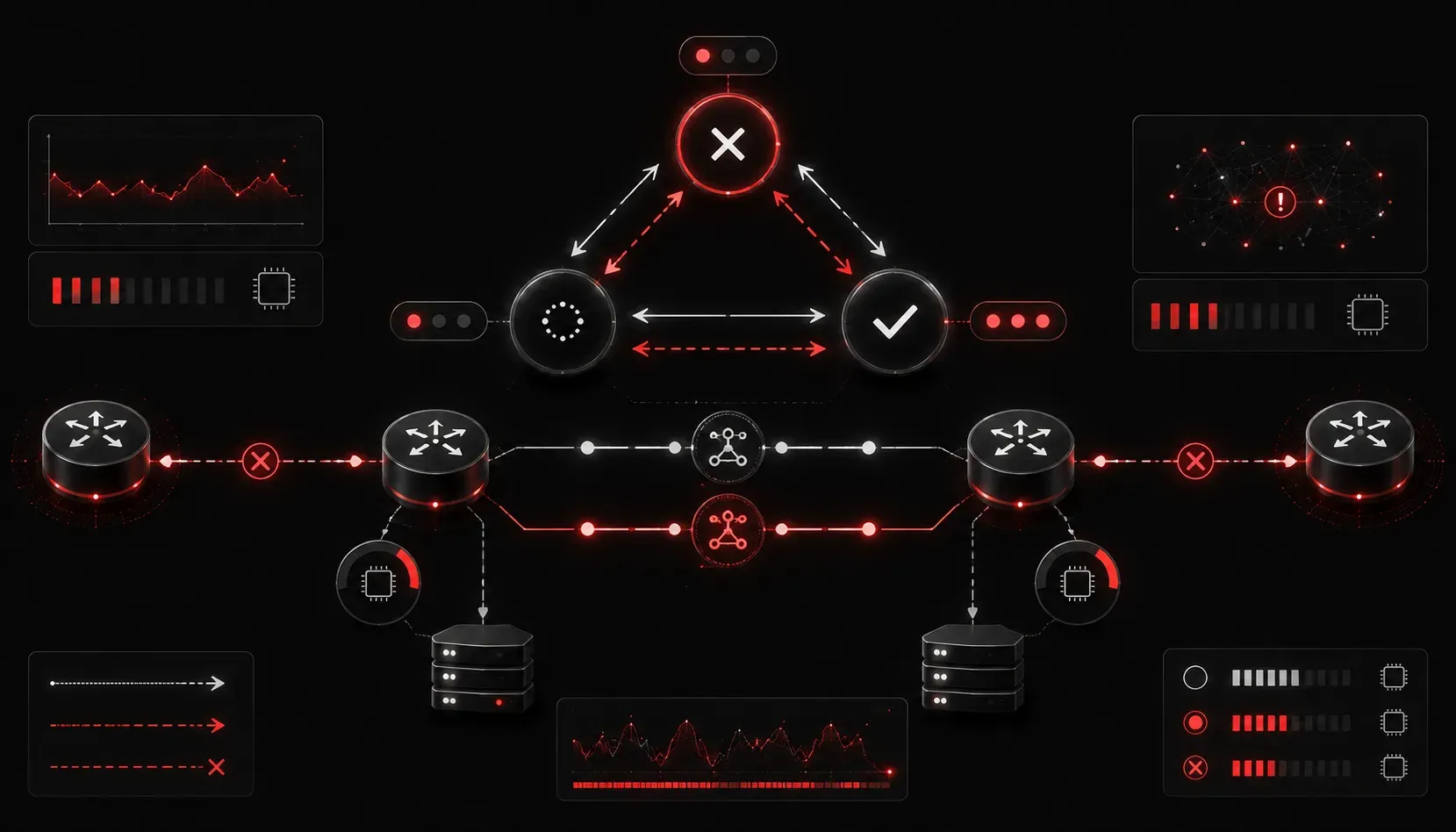
Bidirectional Forwarding Detection is one of those technologies that works silently in the background until it doesn't. When BFD misbehaves in a large-scale network, the impact can be significant: routing protocols flap, traffic black-holes, and engineers scramble to correlate logs across dozens of devices. Solid BFD troubleshooting methodology separates the engineers who resolve these issues quickly from those who chase symptoms for hours.
This post walks through the most common BFD issues encountered in enterprise and service provider environments, the diagnostic commands you need, and the configuration corrections that resolve them.
Understanding What BFD Is Actually Doing
Before diagnosing any fault, confirm the BFD session state and understand what "should" be happening. BFD operates in one of several states: Down, Init, Up, or AdminDown. Sessions that oscillate between Down and Init indicate a one-sided problem. Sessions that bounce from Up to Down repeatedly suggest a path quality or timer mismatch issue.
Start here on Cisco IOS-XE or IOS:
Router# show bfd neighbors detail

OurAddress     NeighborAddress  LD/RD         RH/RS    State  Int
192.168.1.1    192.168.1.2      4097/4097     Up       Up     Gi0/1

Session state is Up and using echo function with 50 ms interval.
Session Host: Software
Handle: 1
Local Diag: 0, Demand mode: 0, Poll bit: 0
MinTxInt: 50000, MinRxInt: 50000, Multiplier: 3
Received MinRxInt: 50000, Received Multiplier: 3
Holddown (hits): 150ms (0), Hello (hits): 50ms (12345)
Rx Count: 12345, Rx Interval (ms) min/max/avg: 48/52/50
Tx Count: 12345, Tx Interval (ms) min/max/avg: 48/52/50
Registered protocols: OSPF
The key fields to examine are MinTxInt, MinRxInt, Multiplier, and the registered protocols. If a routing protocol is not listed under "Registered protocols," BFD is not actually protecting that adjacency regardless of your configuration.
Common BFD Issues and How to Resolve Them
Issue 1: BFD Session Stuck in Init State
A session stuck in Init means the local router is sending BFD control packets but not receiving valid ones back. This is almost always a one-sided or asymmetric problem.
Causes to investigate:
- ACL blocking UDP port
3784(BFD control) or3785(BFD echo) in one direction - BFD configured on the local side only, with the remote peer missing
bfd intervalon the interface - Routing asymmetry causing return BFD packets to arrive on a different interface than expected
Verify UDP traffic is flowing in both directions. On IOS, a quick confirmation check:
Router# debug bfd packet
Router# debug ip packet detail

*Mar  1 00:01:23.456: BFD: Sending packet to 192.168.1.2, src 192.168.1.1
*Mar  1 00:01:23.506: BFD: No packet received from 192.168.1.2
If you see sends but no receives, check the inbound ACL on the interface and confirm the remote peer has BFD configured with matching parameters.
Issue 2: BFD Sessions Flapping Despite a Stable Link
This is one of the most frustrating network BFD problems in production. The physical link is up, the routing protocol adjacency keeps dropping, and BFD is the culprit. The root cause is almost always CPU contention or aggressive timers.
BFD control packets are time-sensitive. When a router's CPU is under load, software-processed BFD packets get delayed. If three consecutive packets are missed, the session declares the peer down. In large networks running BFD in software mode across dozens of sessions, this becomes a real operational problem.
Diagnosis:
Router# show processes cpu sorted
Router# show bfd neighbors detail | include Rx Interval

Rx Interval (ms) min/max/avg: 30/180/65
An average Rx interval significantly higher than the configured minimum is a strong indicator of CPU-induced jitter. The max value tells you whether individual packets are being delayed past the hold-down threshold.
Solutions:
- Increase the BFD interval to reduce sensitivity: use
bfd interval 300 min_rx 300 multiplier 3instead of aggressive 50ms timers unless hardware offload is confirmed - Move BFD to hardware-assisted mode where the platform supports it (ASR1K, Catalyst 9K series); verify with
show bfd neighbors detail | include Session Host; "Hardware" confirms offload - Reduce the number of software BFD sessions per router by leveraging BFD templates and being selective about which adjacencies truly require sub-second detection
Issue 3: BFD Not Triggering Routing Protocol Convergence
You have a BFD session in Up state but when the peer goes down, OSPF or BGP convergence is no slower than without BFD. This means BFD is running but is not properly registered to the routing protocol.
For OSPF, BFD must be enabled either globally or per-interface and the OSPF process must have BFD enabled:
Router(config)# router ospf 1
Router(config-router)# bfd all-interfaces

Router(config)# interface GigabitEthernet0/1
Router(config-if)# bfd interval 150 min_rx 150 multiplier 4
Router(config-if)# ip ospf bfd
Verify registration:
Router# show bfd neighbors detail | include Registered
Registered protocols: OSPF BGP
For BGP, the configuration goes under the neighbor statement:
Router(config)# router bgp 65001
Router(config-router)# neighbor 10.1.1.2 fall-over bfd
If the protocol is missing from the registered list after configuration, check for interface-level BFD mismatches or verify the neighbor is actually established before BFD registration occurs.
Issue 4: Echo Mode Causing Issues Across Layer 3 Boundaries
BFD echo mode sends packets that are looped back by the remote peer without involving the remote CPU. This is excellent for latency-sensitive detection but breaks across NAT boundaries or when the remote device does not support echo mode.
Disable echo mode when operating across NAT or when interoperating with non-Cisco devices:
Router(config)# no bfd echoOr apply it at interface level:
Router(config-if)# no ip bfd echoIssue 5: BFD and MPLS/TE Environments
In MPLS Traffic Engineering environments, BFD can be configured over TE tunnels. A common BFD solution mistake is applying BFD to the physical interface rather than the tunnel interface, providing no fast-failure detection for the TE path itself. Configure BFD on the tunnel interface directly and ensure RSVP signaling is healthy before expecting BFD to stabilize:
Router(config)# interface Tunnel0
Router(config-if)# bfd interval 150 min_rx 150 multiplier 3
Router(config-if)# tunnel mpls traffic-eng bfd
Structured Troubleshooting Workflow
- Confirm BFD session state with
show bfd neighbors detail - Verify routing protocol registration in the BFD session output
- Check for ACLs blocking UDP 3784/3785 in both directions
- Assess CPU utilization and determine whether BFD is hardware or software forwarded
- Review Rx interval variance for jitter indicators
- Validate timer consistency between peers using
show bfd neighbors detailon both sides - Confirm echo mode appropriateness for the network topology
Recommended Study Resource
For exam-level depth on BFD configuration and troubleshooting within the broader ENARSI curriculum, the Cisco Press CCNP Enterprise Advanced Routing ENARSI 300-410 Official Cert Guide by Raymond Lacoste covers BFD integration with OSPF, EIGRP, and BGP with the precision needed for both the exam and production deployments.
What's Next
With BFD troubleshooting covered, the natural progression moves into advanced routing policy with route maps and prefix lists. Understanding how to manipulate routing decisions precisely is critical for ENARSI exam objective coverage and directly complements the fast-convergence work BFD enables. The next post covers route map construction, conditional matching, and policy-based routing at enterprise scale.
Tools and resources for this topic
- CCNP ENARSI 300-410 Official Cert Guide — The definitive ENARSI study resource by Raymond Lacoste. Covers advanced routing, services, and troubleshooting.