
Troubleshooting LISP Configuration Issues
Comprehensive guide to diagnosing and resolving common LISP configuration issues including registration failures, data plane problems, and interworking device errors with practical troubleshooting commands.

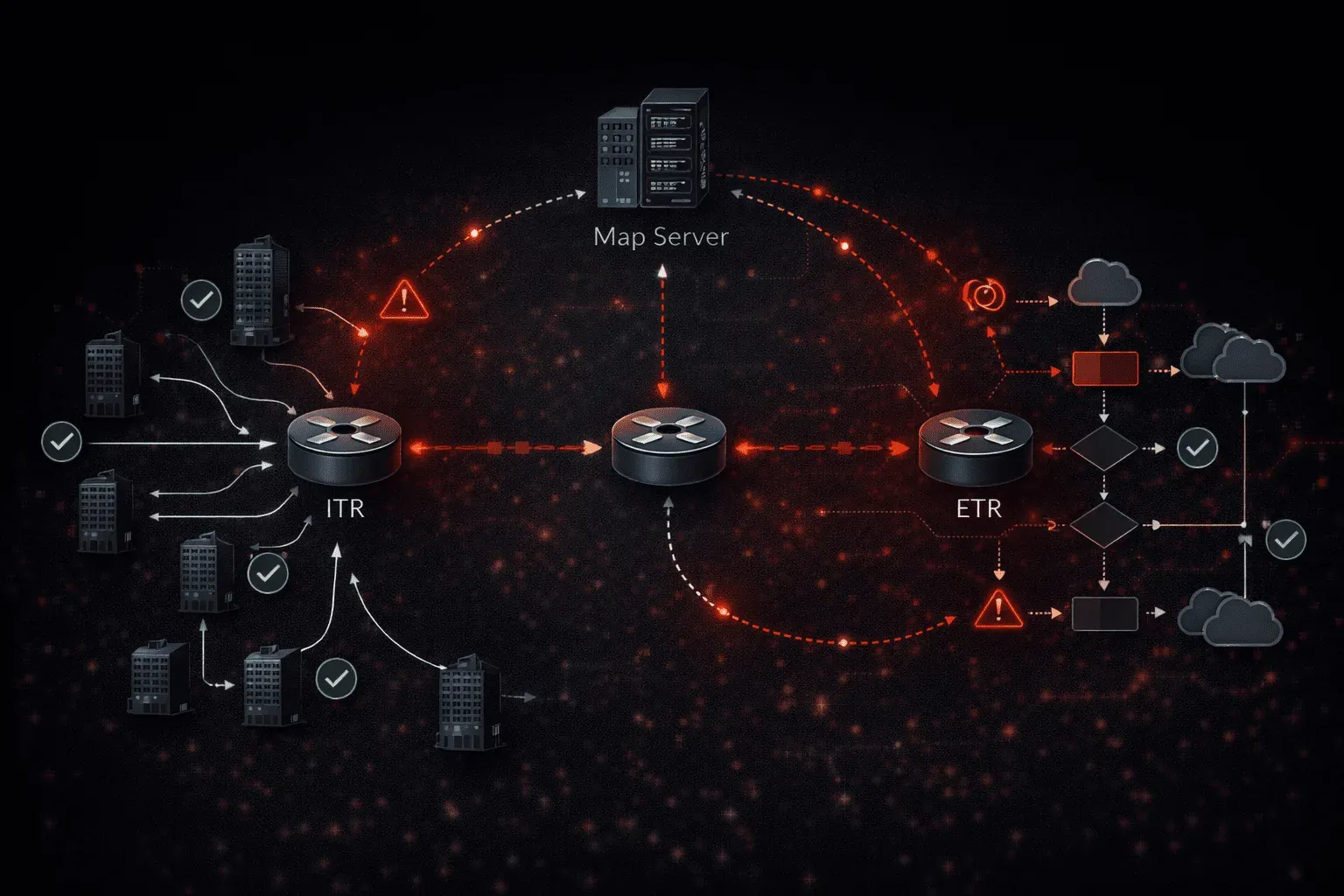
Common LISP Configuration Issues
LISP (Locator/Identifier Separation Protocol) troubleshooting requires a systematic approach to identify where the separation between location and identity breaks down. Most LISP configuration errors fall into predictable categories that can be quickly diagnosed with the right methodology.
Map Server/Resolver Registration Problems
Registration failures represent the most common LISP configuration errors. When endpoints cannot register their EID prefixes with the Map Server, the entire LISP domain becomes unreachable.
Router# show lisp site
LISP Site Registration Information

Site Name      Last      Up   Who Last             Inst     EID Prefix
               Register       Registered           ID
site1          never     no   --                   0        192.168.1.0/24
The never registration status indicates authentication or connectivity issues. Verify the Map Server configuration first:
router lisp
 site site1
  description Branch Office 1
  authentication-key lisp123
  eid-prefix 192.168.1.0/24
  exit
 ipv4 map-server
 ipv4 map-resolver
Common registration failures include mismatched authentication keys, incorrect EID prefix definitions, or network connectivity problems between the ETR and Map Server. Use debug lisp control-plane all to capture the registration exchange and identify the failure point.
ITR-to-ETR Data Plane Issues
Even with successful registration, data plane forwarding can fail due to encapsulation or mapping problems. The show lisp forwarding command reveals the forwarding database state:
Router# show lisp forwarding
Codes: P = Petr, R = Rloc
LISP IPv4 Forwarding Table
Prefix                 Fwd action      Locator status bits
192.168.2.0/24         encap           10.1.1.1  R
0.0.0.0/0             drop
A drop action for specific prefixes indicates missing or stale map-cache entries. Force a map-request to refresh the mapping:
Router# clear lisp ipv4 map-cache 192.168.2.0/24
Router# show lisp ipv4 map-cache
LISP IPv4 Mapping Cache for EID-table default (IID 0)
192.168.2.0/24, uptime: 00:00:15, expires: 23:59:45, via map-reply
  Locator     Uptime    State      Pri/Wgt
  10.1.1.1    00:00:15  up           1/1
Proxy-ITR and PETR Configuration Errors
LISP interworking devices often experience configuration problems that prevent proper translation between LISP and non-LISP sites. Verify PETR advertisement:
router lisp
 ipv4 proxy-etr
 ipv4 map-server
 ipv4 map-resolver
 database-mapping 0.0.0.0/0 10.2.2.2 priority 1 weight 1
The PETR must advertise itself for the default route 0.0.0.0/0 to attract traffic from LISP sites destined for non-LISP networks. Missing or incorrect database mappings prevent this advertisement.
For Proxy-ITR functionality, ensure the device can reach both LISP and non-LISP destinations:
Router# show lisp ipv4 proxy-itr
LISP IPv4 Proxy-ITR Router
Status: enabled
Map-Resolver(s): 10.3.3.3
Map-Server(s): configured, not active
ETR Map-Server(s): 10.3.3.3 (*** this system ***)
Instance ID and VRF Mapping Issues
Multi-tenancy problems emerge when Instance IDs don't properly map to VRFs. Each LISP instance requires explicit VRF association:
router lisp
 eid-table vrf CUSTOMER_A instance-id 100
  database-mapping 192.168.100.0/24 10.4.4.4 priority 1 weight 1
  exit
 eid-table vrf CUSTOMER_B instance-id 200
  database-mapping 192.168.200.0/24 10.4.4.4 priority 1 weight 1
Mismatched Instance IDs between sites prevent proper mapping resolution. Use show lisp eid-table vrf to verify the association:
Router# show lisp eid-table vrf CUSTOMER_A ipv4 database
LISP ETR IPv4 Mapping Database for EID-table vrf CUSTOMER_A (IID 100)
192.168.100.0/24, locator-set rloc-set1
  Locator     Pri/Wgt  Source     State
  10.4.4.4      1/1    cfg-addr   site-self
Diagnostic Commands and Methodology
Effective LISP troubleshooting follows a layered approach, starting with control plane verification and progressing to data plane analysis.
Begin with registration status across all components:
Router# show lisp site summary
Number of configured sites: 3
Number of registered sites: 2
Number of registered EID prefixes: 5
Site registration limit for router lisp 0: No limit
Site registration count for router lisp 0: 2
Examine map-cache consistency between ITRs and verify proper RLOC reachability:
Router# show lisp ipv4 statistics
Control Packets:
  Map-Requests in/out:                      45/23
  Map-Replies in/out:                       23/45
  Map-Registers in/out:                     12/156
  Map-Notify in/out:                        156/12

Errors:
  Map-Request format errors:                0
  Map-Reply format errors:                  0
  Authentication failures:                  5
Authentication failures indicate configuration mismatches that require immediate attention. Cross-reference authentication keys between ETRs and Map Servers.
Advanced Troubleshooting Techniques
For complex LISP problems, packet captures at the LISP encapsulation boundary provide definitive answers. Enable LISP debugs selectively to avoid overwhelming the console:
Router# debug lisp control-plane errors
Router# debug lisp forwarding
Router# debug condition interface GigabitEthernet0/1
Monitor ETR mobility events that can cause temporary forwarding disruptions:
Router# show lisp ipv4 publisher
Publication entries for router-lisp 0 instance-id 0
EID-prefix: 192.168.1.0/24
  Publisher 10.5.5.5, last published 00:02:15
  TTL 1d00h, Expires: 23:57:45
  Publisher epoch 0, Entry epoch 0
  Entry-state complete
  Routing table tag 0, SGT 0
  Extranet IID 0
Understanding publisher relationships helps identify why certain mappings become stale or inconsistent across the LISP domain.
What's Next
With LISP troubleshooting methodology established, the next logical step involves exploring LISP mobility and multicast extensions. These advanced features introduce additional layers of complexity that require specialized configuration approaches and monitoring techniques for enterprise-scale deployments.
Tools and resources for this topic
- CCNP ENCOR 350-401 Official Cert Guide — The definitive ENCOR study resource by Brad Edgeworth. Covers enterprise infrastructure, virtualisation, and automation.