
What is a Firewall and How Does It Protect a Network?
A beginner-friendly explanation of what a firewall is and how it protects networks by filtering traffic. Uses practical analogies like security guards and bouncers to make network security concepts accessible to newcomers.

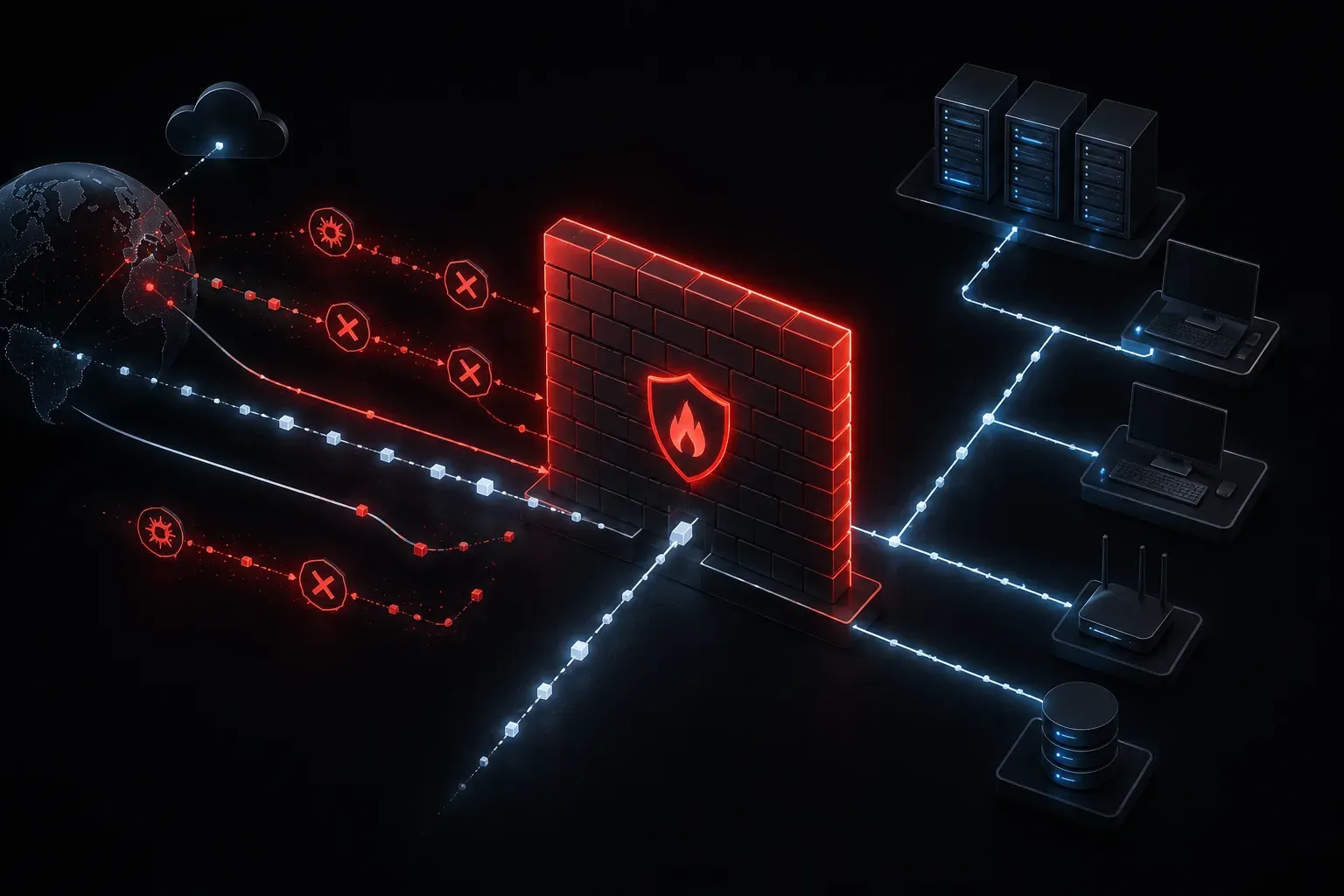
A firewall is your network's security guard, a critical piece of technology that stands between your trusted internal network and the wild, unpredictable internet. Think of it like a bouncer at an exclusive club who checks IDs and decides who gets in and who doesn't. Just as that bouncer protects the club from troublemakers, a firewall protects your network from malicious traffic and unauthorized access attempts.
How Firewalls Work: The Security Checkpoint
At its core, a firewall performs traffic filtering by examining every piece of data (called packets) trying to enter or leave your network. It's like having a postal worker who opens every letter to check if it's legitimate mail or junk before delivering it to your door.
When data packets arrive at your firewall, it asks several key questions:
- Where is this packet coming from? (source IP address)
- Where is it trying to go? (destination IP address)
- What type of service is it requesting? (port number)
- Is this connection already established and trusted?
Based on your configured security rules, the firewall either allows the packet through (permit) or blocks it (deny). This process happens thousands of times per second, creating an invisible shield around your network.
Types of Traffic Control
Modern firewalls provide network protection through several filtering methods:
Stateful Inspection
This is like having a security guard who remembers every conversation. If someone inside your network starts a connection to a website, the firewall remembers that conversation. When the website responds, the firewall recognizes it as part of an existing, legitimate conversation and allows it through.
Port-Based Filtering
Different network services use different "doors" called ports. Web traffic typically uses port 80 (HTTP) or 443 (HTTPS), while email uses port 25 (SMTP). A firewall can block specific ports; imagine locking certain doors in a building while keeping others open for business.
Application Awareness
Advanced firewalls don't just look at addresses and ports; they actually understand what applications are being used. They can block Facebook while allowing business applications, even if both use the same port.
Real-World Protection Examples
Here are some practical ways firewalls provide security basics for your network:
Blocking Malicious Websites: If an employee accidentally clicks on a suspicious link, the firewall can block access to known malicious sites, preventing malware downloads.
Preventing Unauthorized Access: Without a firewall, anyone on the internet could potentially try to connect directly to computers on your internal network. The firewall blocks these unauthorized connection attempts.
Controlling Outbound Traffic: Firewalls don't just block incoming threats; they can also prevent internal computers from connecting to inappropriate or dangerous external sites.
Where Firewalls Live in Your Network
In most networks, the firewall sits at the network perimeter, the boundary between your internal network and the internet. It's typically positioned right after your router and before your internal switches and devices. This strategic placement means all traffic flowing in and out of your network must pass through the firewall's inspection.
Many modern routers include basic firewall functionality built-in, though enterprise networks often use dedicated firewall appliances for more robust protection and advanced features.
The Human Element
While firewalls are powerful, they're only as good as their configuration. Someone needs to create and maintain the security rules that tell the firewall what to allow and what to block. This is why understanding what a firewall is and how it works is crucial for anyone working in networking; you might be the person configuring these critical security rules!
What's Next
Now that you understand how firewalls protect networks through traffic filtering, the next logical step is to explore how to configure basic firewall rules. We'll dive into creating access control lists (ACLs) and understanding how to write effective security policies that balance protection with network functionality.