
Integrating Agentic AI into Your IT Workflow: A Step-by-Step Guide
This post explains the key differences between generative and agentic AI, outlines use cases suited to each approach, and walks IT professionals through a practical step-by-step process for integrating agentic AI into their workflows. It covers tool selection, setting guardrails, and building a pro

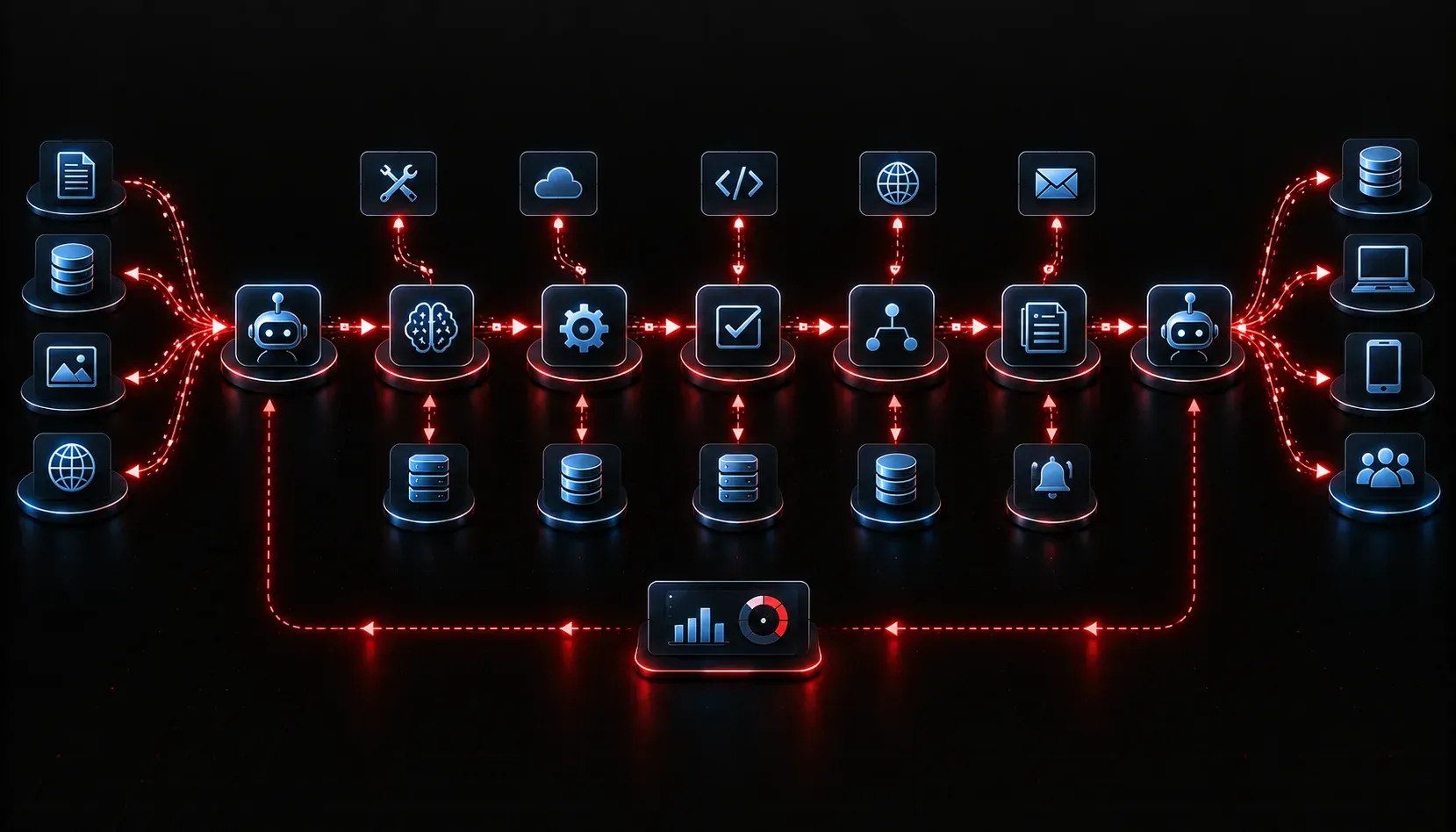
You have probably used ChatGPT or another large language model to answer a quick question or draft an email. That is generative AI doing what it does best: responding to a single prompt with a single output. But what happens when your problem requires multiple steps, decisions along the way, and actions taken in the real world? That is where agentic AI enters the picture, and understanding the difference is the first step toward integrating agentic AI into your IT workflow effectively.
Generative vs. Agentic AI: The Core Difference
Think of generative AI as a very knowledgeable colleague you can ask one question at a time. You ask, they answer, and the conversation ends there. Agentic AI is more like delegating a task to someone who can break it down, take action, check results, adjust their approach, and report back when it is done.
Here is a practical side-by-side comparison:
- Generative AI: You prompt it to "summarize this network log." It summarizes and stops.
- Agentic AI: You tell it to "monitor logs, identify anomalies, create a ticket if something critical appears, and notify the on-call engineer." It loops through all of those steps autonomously.
The key technical distinction is that agentic systems have access to tools (APIs, scripts, databases), maintain memory across steps, and can make decisions to determine what to do next based on intermediate results.
Use Cases Suited to Each Approach
Knowing which tool to reach for matters. Not every IT problem needs an agent.
When Generative AI Is the Right Choice
- Drafting documentation or runbooks
- Answering one-off questions about a protocol or configuration
- Generating a script template you will review and edit
- Summarizing a meeting transcript or incident report
When Agentic AI Is the Right Choice
- Automated incident response that spans multiple systems
- Continuous monitoring tasks that require conditional logic
- Multi-step provisioning workflows (create user, assign permissions, send welcome email)
- Data gathering across several sources before producing a final report
A solid rule of thumb: if the task requires more than two decisions or touches more than one system, consider an agentic approach.
A Step-by-Step Agentic AI Setup for IT Teams
Here is how to approach agentic AI implementation without overwhelming yourself or your team.
Step 1: Identify a Repeatable, Multi-Step Process
Start small. Pick a workflow you already do manually and repeatedly, something like triaging helpdesk tickets, checking device compliance, or pulling weekly performance reports. Document every step, decision point, and system involved.
Step 2: Choose Your Agentic Framework
Several tools exist to help you build agents without starting from scratch:
- LangChain: A popular Python framework for building LLM-powered agents with tool use. Find it at langchain.com.
- AutoGen (Microsoft): Designed for multi-agent conversation workflows. Available at microsoft.github.io/autogen.
- CrewAI: Focused on role-based multi-agent teams. Available at crewai.com.
- n8n or Zapier with AI steps: Low-code options for teams that want workflow automation with AI nodes built in.
Step 3: Define the Agent's Tools and Boundaries
An agent is only as useful as the tools you give it access to. Common tools in an IT context include REST API calls, database queries, shell command execution, and email or ticketing system integrations. Equally important is defining what the agent cannot do. Set guardrails early. For example, an agent can read firewall rules but should require human approval before modifying them.
Step 4: Build a Simple Proof of Concept
Use Python with LangChain to build a minimal agent as a starting point. The example below creates an agent that can search a knowledge base and send a notification:
from langchain.agents import initialize_agent, Tool
from langchain.chat_models import ChatOpenAI

llm = ChatOpenAI(model="gpt-4", temperature=0)

tools = [
    Tool(
        name="KnowledgeBaseSearch",
        func=search_knowledge_base,   # your custom function
        description="Search internal IT documentation"
    ),
    Tool(
        name="SendNotification",
        func=send_slack_alert,        # your custom function
        description="Send an alert to the IT Slack channel"
    )
]

agent = initialize_agent(tools, llm, agent="zero-shot-react-description", verbose=True)
agent.run("Check if there is a known fix for VPN timeout errors and notify the team.")
This is a starting point, not a production system. Test it thoroughly with real scenarios before expanding its scope.
Step 5: Monitor, Iterate, and Expand
Log every action the agent takes. Review those logs regularly during the first few weeks. Agentic AI implementation is not a set-it-and-forget-it process. You will find edge cases, adjust prompts, and refine tool definitions as you go. Once your first workflow is stable, you can confidently expand to more complex use cases.
What's Next
Now that you understand the difference between generative and agentic AI and have a framework for getting started, the next logical step is understanding how agents reason through problems. In the next post, we will dig into how ReAct (Reasoning and Acting) prompting works and why it is the backbone of most modern agentic systems. That knowledge will make your AI workflow integration much more intentional and effective.