
Integrating Hypervisors into Enterprise Network Architectures
This post covers strategies for integrating hypervisors into enterprise network architectures, addressing virtual switch configuration, physical switch design for hypervisor uplinks, segmentation approaches, and performance considerations. It targets experienced network engineers preparing for the

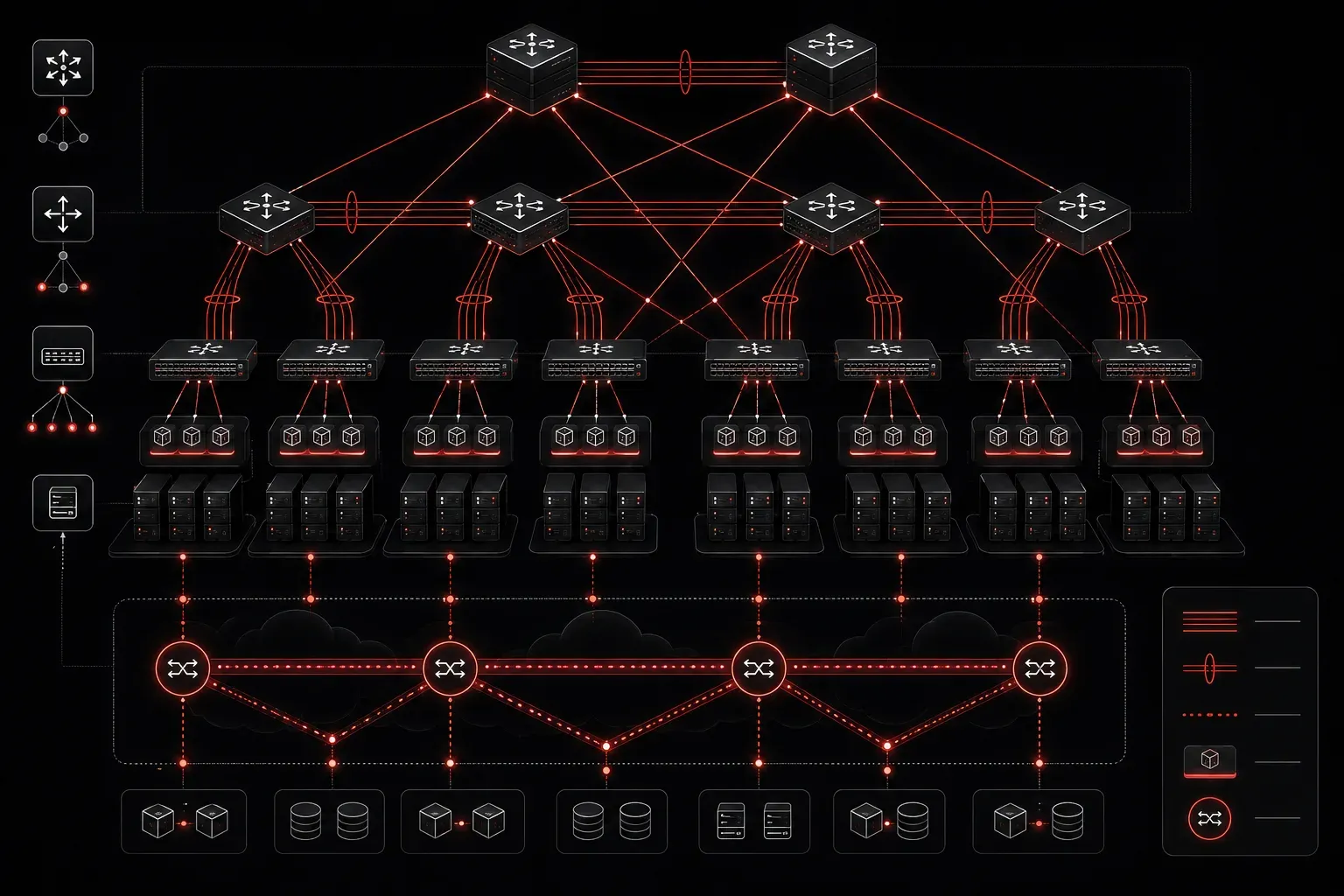
Why Hypervisor Integration Is a Network Engineering Problem
Most engineers encounter hypervisors as a server team concern. But once you're designing or troubleshooting at the CCNP level, you quickly realize that enterprise virtualization fundamentally reshapes your switching, routing, and segmentation architecture. The network doesn't just connect hypervisors; it becomes a participant in how virtual machines communicate, how traffic is segmented, and how performance is maintained under load.
This post covers what you need to know for integrating hypervisors into enterprise network architectures: the architectural decisions, the compatibility gotchas, and the performance considerations that will show up on the ENCOR exam and in production environments.
Type 1 vs. Type 2 Hypervisors: The Enterprise Decision
For enterprise deployments, the conversation is almost always about Type 1 (bare-metal) hypervisors. VMware ESXi, Microsoft Hyper-V, and KVM are the relevant players. Type 2 hypervisors like VirtualBox or VMware Workstation are out of scope for production network design.
What matters from a network integration standpoint is that Type 1 hypervisors insert a software abstraction layer between the physical NIC and the virtual machines. That abstraction layer, the virtual switch, is where your network design decisions have the most impact.
The Virtual Switch: Your Integration Boundary
The virtual switch (vSwitch) is the most critical integration point between the hypervisor and your physical network. In VMware environments, you're working with either the standard vSwitch (VSS) or the Distributed vSwitch (VDS). In Hyper-V, it's the Hyper-V Virtual Switch. In KVM-based environments, Open vSwitch (OVS) is the dominant choice.
Key architectural decisions at this layer:
- VLAN trunking: Physical uplinks from the hypervisor host need to carry 802.1Q trunks. Your access-layer switch ports should be configured as trunks with permitted VLANs explicitly defined. The vSwitch port groups then map to specific VLANs, providing segmentation between VM workloads.
- Native VLAN handling: Misconfiguring the native VLAN on the physical trunk is a common integration mistake. Ensure the native VLAN on the Cisco switch matches the intended untagged VLAN on the hypervisor uplink, or explicitly tag all traffic.
- MTU alignment: Jumbo frames are frequently used in storage and vMotion traffic. If your physical switches aren't configured with matching MTU values, you'll see silent packet drops and degraded performance. Verify end-to-end MTU consistency using
pingwith the DF bit set and varying payload sizes.
Physical Switch Configuration for Hypervisor Uplinks
A hypervisor host typically connects to the access layer with multiple physical NICs for redundancy and traffic separation. Here's a representative Cisco IOS trunk configuration for a hypervisor uplink:
interface GigabitEthernet1/0/10
 description ESXi-Host-01-vmnic0
 switchport mode trunk
 switchport trunk native vlan 999
 switchport trunk allowed vlan 10,20,30,100
 spanning-tree portfast trunk
 spanning-tree bpduguard enable
 channel-group 1 mode active

interface GigabitEthernet1/0/11
 description ESXi-Host-01-vmnic1
 switchport mode trunk
 switchport trunk native vlan 999
 switchport trunk allowed vlan 10,20,30,100
 spanning-tree portfast trunk
 spanning-tree bpduguard enable
 channel-group 1 mode active

interface Port-channel1
 description ESXi-Host-01-LAG
 switchport mode trunk
 switchport trunk native vlan 999
 switchport trunk allowed vlan 10,20,30,100
A few critical notes on this config:
- PortFast trunk: Required to prevent STP delays when uplinks toggle. Without it, vMotion operations and host reboots trigger spanning-tree reconvergence delays that affect production VMs.
- LACP (802.3ad): Use
channel-group 1 mode activefor LACP-based port channels. Match the teaming policy on the vSwitch. VMware VDS supports LACP natively; the standard VSS does not, requiring IP-hash-based teaming instead. - BPDU Guard: Prevents a misconfigured VM from sending BPDUs into the network. A VM running bridging software could otherwise destabilize your spanning-tree topology.
Segmentation and Security Architecture
Enterprise virtualization introduces a significant segmentation challenge: VMs from different security zones can coexist on the same physical host. Traffic between VMs on the same host may never traverse the physical network at all, meaning your perimeter firewalls and IDS sensors won't see it.
Two primary approaches address this:
- VLANs enforced at the vSwitch level: Port groups are assigned specific VLAN IDs. Inter-VLAN routing is handled by an upstream Layer 3 device (typically a distribution-layer switch or firewall). All inter-zone traffic hairpins through the physical network, maintaining visibility.
- Micro-segmentation with NSX or similar SDN overlays: VMware NSX-T implements distributed firewalling at the vNIC level. This provides east-west traffic inspection without physical hairpinning. From a physical network perspective, this changes your role: you're providing underlay transport (usually VXLAN over routed fabric) rather than enforcing segmentation directly.
For ENCOR exam purposes, understand that VXLAN is the dominant overlay protocol for enterprise virtualization environments. VXLAN extends Layer 2 over a Layer 3 underlay using UDP encapsulation on port 4789. VTEP (VXLAN Tunnel Endpoint) functionality can be implemented in software on the hypervisor or in hardware on the physical switch (hardware VTEP).
Performance Considerations That Break Integrations
Getting connectivity working is the easy part. Sustaining performance under production load is where most hypervisor integrations run into issues:
- NIC teaming and load balancing: VMware's default VSS teaming policy is "route based on originating virtual port." This means a VM is pinned to one physical uplink regardless of utilization. For high-throughput workloads, configure "route based on IP hash" on the vSwitch and use a corresponding LACP port channel on the physical switch to distribute load.
- Storage traffic isolation: iSCSI and NFS storage traffic should be isolated on dedicated VLANs with QoS marking. Use DSCP
EForAF41markings for storage and vMotion traffic, and configure your physical switches to honor those markings with appropriate queuing policies. - Receive Side Scaling (RSS) and interrupt handling: At high packet rates, a single CPU core handling all NIC interrupts becomes a bottleneck. Modern hypervisors support RSS to distribute interrupt processing across multiple cores. Verify NIC and driver support when troubleshooting throughput that plateaus below line rate.
- vMotion bandwidth planning: A vMotion migration can consume significant bandwidth on shared uplinks. Dedicated vMotion VMkernel adapters on isolated VLANs with bandwidth limits prevent live migrations from impacting production VM traffic.
Verification and Troubleshooting Commands
When troubleshooting hypervisor integration issues from the Cisco switch side, these commands are your starting point:
! Verify trunk status and allowed VLANs
show interfaces trunk

! Confirm VLANs are active and forwarding
show spanning-tree vlan 10

! Check port channel membership and status
show etherchannel summary

! Verify LACP neighbor information
show lacp neighbor

! Confirm MTU settings
show interfaces GigabitEthernet1/0/10 | include MTU
On the VMware side, the esxcli network and esxcli vswitch command families provide equivalent visibility into the vSwitch configuration, uplink status, and VLAN assignments.
What's Next
With hypervisor integration covered, the logical next step is understanding how virtual network functions (VNFs) and network overlays extend these concepts further. The next post in this series dives into VXLAN architecture and how it enables scalable Layer 2 extension across routed enterprise and data center fabrics, a topic directly tied to ENCOR exam objective 2.1 and a foundational skill for working in modern virtualized environments.
For deeper coverage of virtualization concepts in the ENCOR blueprint, the Cisco Press CCNP and CCIE Enterprise Core ENCOR 350-401 Official Cert Guide by Brad Edgeworth covers these topics with the exam-level precision you need.
Tools and resources for this topic
- CCNP ENCOR 350-401 Official Cert Guide — The definitive ENCOR study resource by Brad Edgeworth. Covers enterprise infrastructure, virtualisation, and automation.