
Introduction to Virtualization on Linux
An introduction to virtualization on Linux covering the basic concepts, types of virtualization (full, para, and container), key benefits, and essential components like hypervisors and management tools.

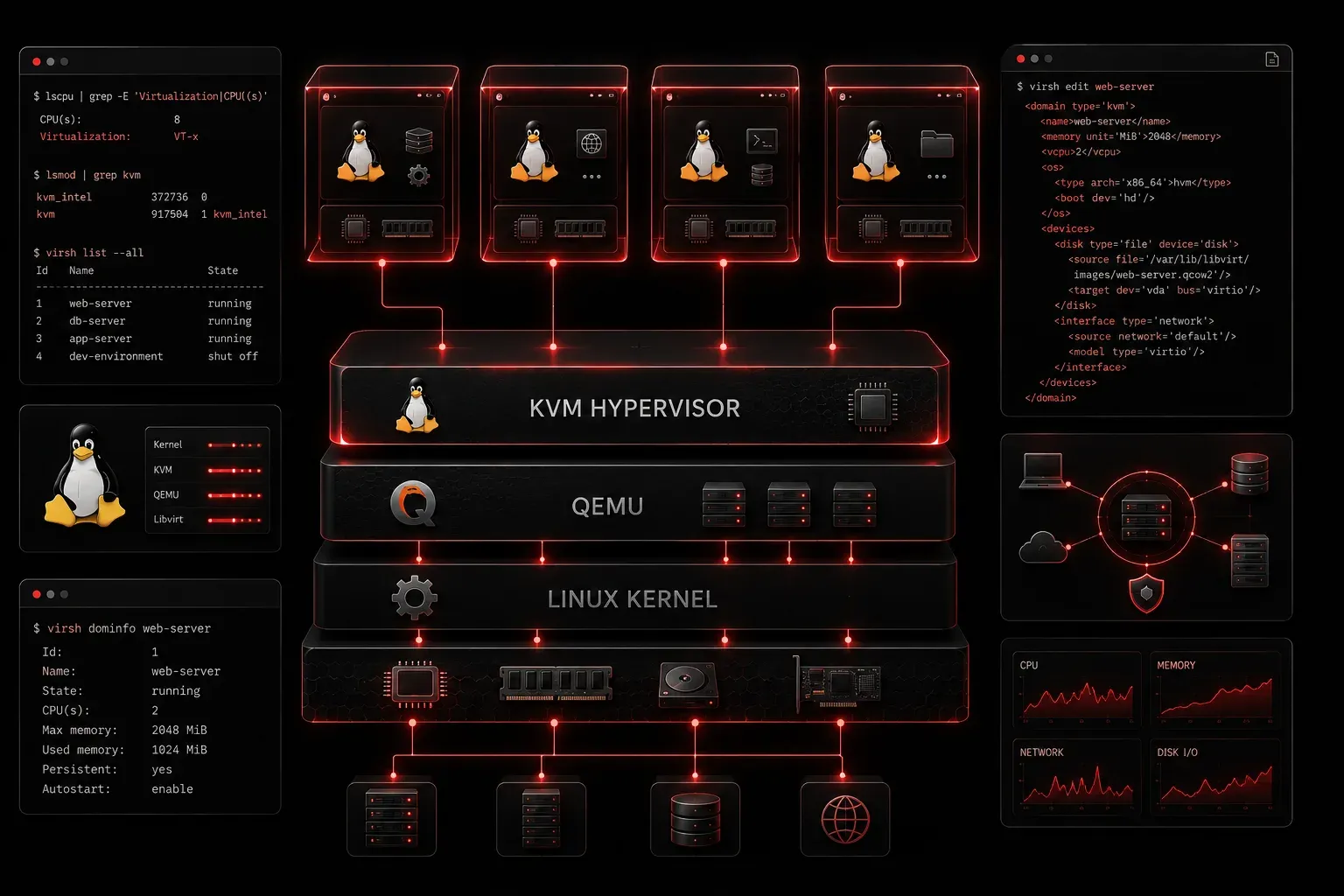
Virtualization on Linux has revolutionized how we deploy, manage, and scale computing resources. If you're preparing for the Linux+ exam or simply want to understand this fundamental technology, grasping virtualization concepts is essential for any modern Linux administrator.
What is Virtualization?
Virtualization is the process of creating virtual versions of physical computing resources, including servers, storage devices, and network components. Think of it as running multiple "computers" on a single physical machine, where each virtual machine (VM) operates as if it has its own dedicated hardware.
At its core, virtualization uses a software layer called a hypervisor to abstract physical hardware resources and allocate them to multiple virtual environments. This allows you to run different operating systems simultaneously on the same physical server.
Types of Virtualization
Linux supports several types of virtualization, each serving different purposes:
Full Virtualization
Full virtualization completely simulates hardware, allowing unmodified guest operating systems to run. Popular solutions include:
- KVM (Kernel-based Virtual Machine) - built into the Linux kernel
- VirtualBox - cross-platform virtualization
- VMware - enterprise-grade virtualization
Paravirtualization
In paravirtualization, guest operating systems are modified to work directly with the hypervisor, improving performance. Xen is a notable example that supports both full and paravirtualization modes.
Container Virtualization
Container virtualization shares the host OS kernel while isolating applications. Docker and LXC (Linux Containers) are prime examples of this lightweight approach.
Key Benefits of Linux Virtualization
Understanding these advantages helps explain why virtualization has become standard practice:
- Resource Efficiency - Maximize hardware utilization by running multiple VMs on one physical server
- Isolation - Problems in one VM don't affect others or the host system
- Flexibility - Easy to create, modify, and destroy virtual environments
- Cost Reduction - Reduce physical hardware requirements and maintenance costs
- Disaster Recovery - VMs can be easily backed up, moved, and restored
Essential Virtualization Components
When working with virtualization on Linux, you'll encounter these key components:
Hypervisor
The hypervisor manages virtual machines and allocates physical resources. Linux offers two main types:
- Type 1 (Bare Metal) - Runs directly on hardware (KVM, Xen)
- Type 2 (Hosted) - Runs on top of an existing OS (VirtualBox, VMware Workstation)
Virtual Machine Monitor (VMM)
The VMM controls VM execution and ensures proper resource allocation. In KVM, this functionality is integrated into the Linux kernel.
Management Tools
Linux provides several tools for managing virtual environments:
virsh- command-line interface for libvirtvirt-manager- graphical VM managementqemu- machine emulator and virtualizer
Checking Virtualization Support
Before implementing virtualization, verify your system supports it:
# Check CPU virtualization features
grep -E '(vmx|svm)' /proc/cpuinfo

# Verify KVM modules are loaded
lsmod | grep kvm

# Check if virtualization is enabled in BIOS
dmesg | grep -i virtualization
If you see vmx (Intel) or svm (AMD) flags, your processor supports hardware virtualization.
Common Use Cases
Linux virtualization serves many practical purposes:
- Development and Testing - Create isolated environments for software development
- Server Consolidation - Reduce physical server count while maintaining services
- Legacy Application Support - Run older applications on modern hardware
- Cloud Computing - Foundation for Infrastructure as a Service (IaaS) platforms
- Education and Training - Safe environments for learning new technologies
What's Next
Now that you understand virtualization fundamentals, the next step is exploring specific virtualization technologies. We'll dive into KVM setup and configuration, showing you how to create and manage your first virtual machines on Linux. You'll learn the practical commands and configuration files that bring these concepts to life.
Tools and resources for this topic
- CompTIA Linux+ Study Guide — Comprehensive Linux+ exam preparation covering system administration, security, and scripting.